· AR · 4 min read
How to use augmented reality on mobile phones: iPhone, Android & Web-Based tools
Augmented Reality (AR) on smartphones uses the phone’s camera, sensors, and software frameworks like ARKit on iPhone and ARCore on Android to blend digital 3D objects into the real world, enabling interactive experiences without special hardware. iPhones offer accurate AR features such as the Measure app, AR Quick Look, and enhanced depth detection on LiDAR-equipped models, while Android devices provide versatile AR experiences through Google Play Services for AR, Google Search’s 3D animals, Google Maps Live View, and apps like IKEA Place. A major innovation is web-based AR platforms like Vizbl, which let users open AR experiences directly in a browser without installing apps, making immersive content easy to access and share across devices. With popular AR apps, practical uses in shopping and learning, and simple camera tips for better tracking, AR has become more accessible and integrated into everyday mobile experiences than ever.
Augmented Reality (AR) has become one of the most exciting technologies available on everyday devices. Without needing headsets or specialized hardware, you can explore immersive 3D objects, try products before buying, enhance learning, and experience interactive digital content directly on your smartphone. Today, augmented reality using mobile phones is more versatile and accessible than ever.
This guide explains how to use augmented reality on the iPhone, how to use augmented reality in Android, how AR works through the phone camera, and introduces powerful platforms—like Vizbl—that bring AR directly to the web.
What Is Augmented Reality on a Smartphone?
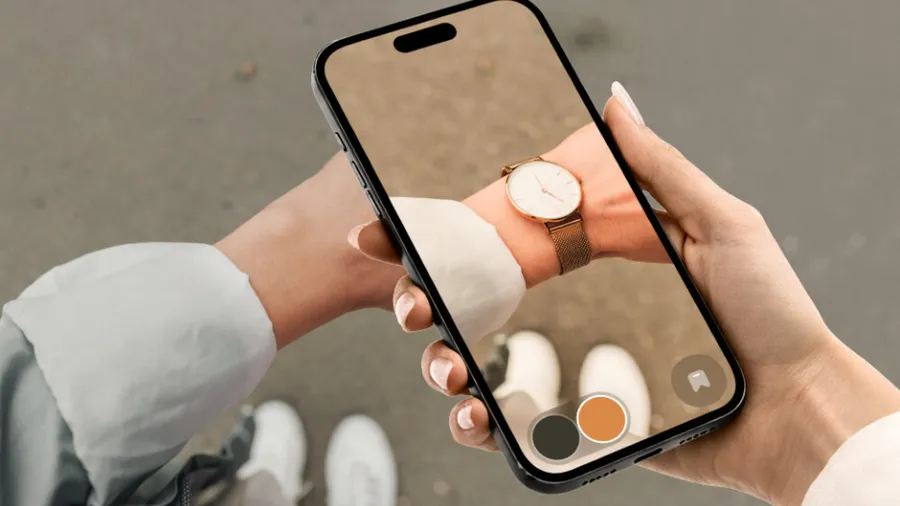
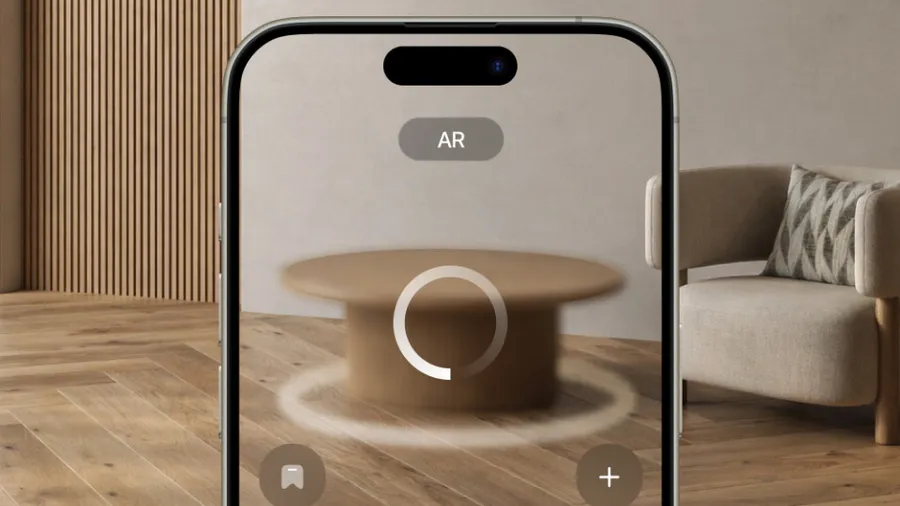
Augmented Reality overlays computer-generated images, animations, and 3D elements onto your real-world environment. Your phone’s camera captures the scene, and AR technology blends digital objects into it so convincingly that they appear anchored to real surfaces.
How Does a Phone Use Augmented Reality?
A smartphone combines several technologies at once:
- Camera input to view the surrounding world
- Motion sensors to track movement
- Depth mapping or LiDAR (on certain models)
- Software frameworks like ARKit (iPhone) and ARCore (Android)
- Real-time rendering to display 3D objects naturally
This is how augmented reality using a phone camera transforms a regular scene into an interactive digital layer.
How to Use Augmented Reality on iPhone
Apple devices are known for offering some of the most accurate and stable AR experiences thanks to ARKit.
Getting Started
- Open the App Store
- Search for AR apps or browse the “AR” category
- Install an app and allow camera access
- Point your phone at the environment and move slowly until surfaces are detected
Built-In AR Features on iPhone
- Measure App – Turns your phone into a virtual tape measure
- AR Quick Look – Lets you view 3D models directly in Safari or Files
iPhones with LiDAR (Pro models) can detect depth instantly, giving you extremely smooth AR placement.
How to Use Augmented Reality in Android
Android devices use Google ARCore, which supports a wide range of phones from Samsung, Google, Xiaomi, OnePlus, Oppo, and more.
How to Start
- Ensure Google Play Services for AR is installed
- Open the Google Play Store and search for AR apps
- Install an app and follow the on-screen instructions
- Move your phone gently to let it scan the environment
Easy AR You Can Try Immediately
- Google Search 3D Animals (“View in 3D”)
- Google Maps Live View for AR navigation
- IKEA Place for visualizing furniture
Android’s open ecosystem makes it easy to experiment with different AR experiences.
Vizbl: Web-Based Augmented Reality for Any Device
One of the most innovative developments in mobile AR is the rise of browser-based AR, and Vizbl is a leading platform in this space.
What Is Vizbl?
Vizbl allows creators and businesses to publish AR experiences directly on the web—no app installation required. Users simply open a link or scan a QR code, and the AR model loads instantly in their mobile browser.
Why Vizbl Is a Game Changer
- Works on both iPhone and Android
- Uses the phone camera just like app-based AR
- No downloads or updates needed
- Perfect for product demos, design showcases, education, and marketing
- Easy to share via URLs and social platforms
Vizbl dramatically lowers the barrier to AR adoption, making immersive content available to anyone with a smartphone.
Read Also: The Ultimate Guide to iOS Augmented Reality SDKs in 2025
Top Android and iOS Apps That Use Augmented Reality
Here are some popular examples that demonstrate the power of AR:
1. IKEA Place: Place true-to-scale furniture in your home.
2. Snapchat & Instagram: AR face filters, effects, and interactive 3D elements.
3. Google Lens: Recognize objects, plants, animals, text, and more.
4. Pokémon GO: Still one of the most iconic AR gaming experiences.
5. Houzz: Preview home décor items in your actual space.
- Adobe Aero: Create professional AR scenes and experiences.
7. Vizbl: Load AR models directly in your browser—no app needed.
These apps highlight the growing possibilities of Android and iOS apps that use augmented reality.
Tips for Using a Phone Camera for Augmented Reality
To get the best experience:
Use bright, even lighting
Avoid highly reflective or transparent surfaces
Move your phone slowly when scanning
Keep your camera lens clean
Ensure your OS and AR services are up to date
Good environmental conditions make AR tracking faster and more accurate.
Final Thoughts
Augmented Reality is transforming how we shop, learn, play, and explore digital content. Whether you’re using AR apps, searching 3D animals on Google, measuring objects with your phone, or exploring web-based AR through Vizbl, the technology has never been more accessible.