
3D product viewer for your website
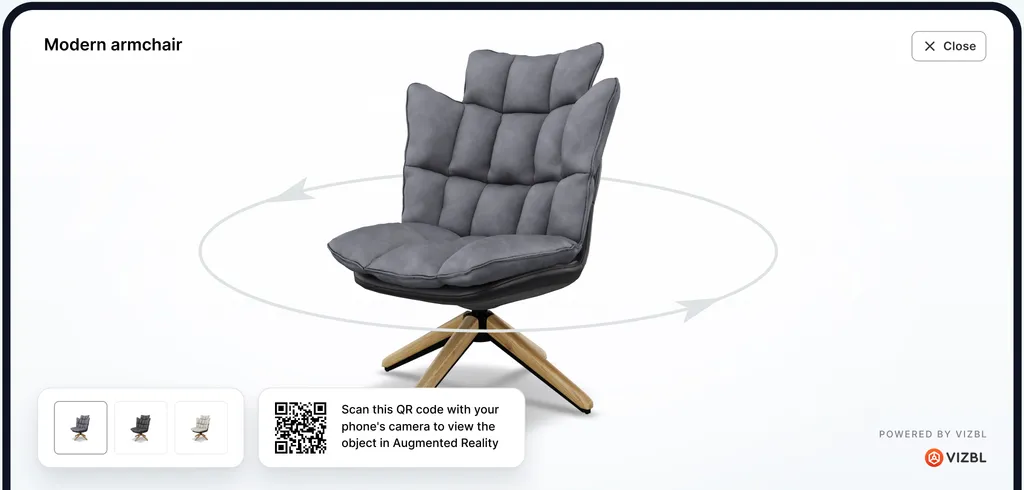
Embed an interactive 3D model on any product page with one iframe. Shoppers rotate, zoom and switch variants; on a phone the same model opens in AR. Free on every plan.
Set up in minutes
Upload the model, copy the iframe, paste it on the page. No theme code, no plugin, no developer needed.
Desktop and mobile
Runs in the browser on desktop, iPhone and Android. Variants, zoom and rotation work the same everywhere.
Free on every plan
The embedded viewer costs no tokens however often it opens. Add AR when you want it; only AR views are metered.
One model, every detail
A 3D viewer lets customers zoom in on the stitching, turn the piece around and compare finishes, the questions that a dozen photos still leave open.
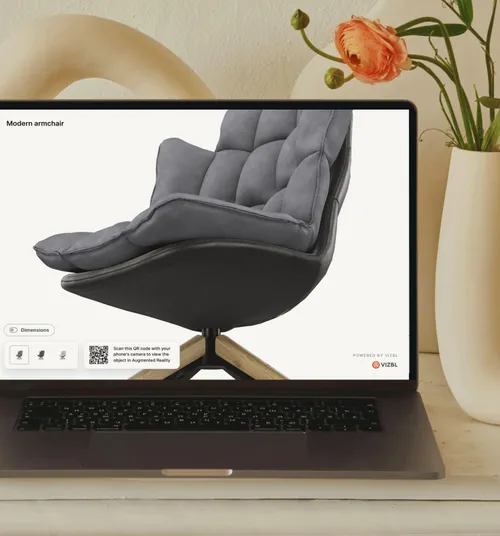
One interactive model replaces dozens of angle shots and the video nobody watches to the end.
Open the same model on a tablet at a trade show or a client meeting; add the QR code to the catalog.
Switch the integration to “3D & AR viewer” and the same model places itself in the shopper’s room.
Two steps to a 3D viewer on your page
The code is generated in the Core AR workspace with your model and variant already filled in.
01 — Add your 3D model
Upload GLB, GLTF, USDZ, FBX, OBJ or ZIP up to 100 MB, convert a CAD file, or generate a model from photos.
02 — Paste the embed code
Choose “Embeddable 3D viewer”, copy the iframe and paste it where the viewer should appear.
Works on every ecommerce platform
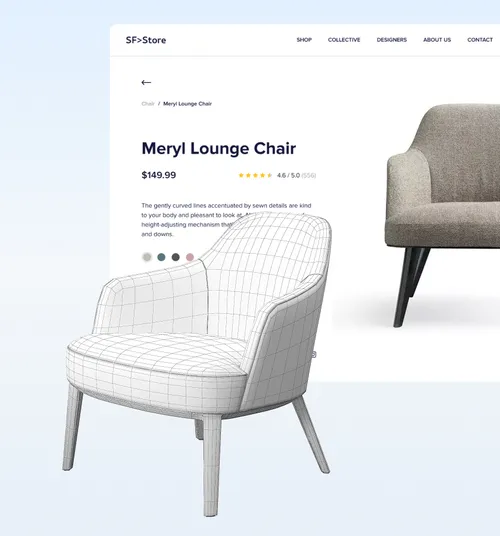
Shopify through the Vizbl app; WordPress, WooCommerce, BigCommerce, Wix, Webflow and custom sites through the embed code.


What the Vizbl 3D viewer does on a product page
| Feature | What it means for the shopper |
|---|---|
| Rotate and zoom | Turn the product through 360° and zoom into materials and details. |
| Variants | Colour, material and size options switch inside the viewer, mapped to your store variants. |
| Dimensions | Real dimensions shown in inches or centimetres from the model itself. |
| AR with one tap | On a phone the same model opens in the room at true scale (3D & AR integration). |
| Inline or modal | Embed the viewer in the page or open it from a button in a popup. |
| Formats | GLB, GLTF, USDZ, FBX, OBJ, ZIP up to 100 MB; CAD via the converter; photos via Photo to 3D. |
| Hosting and speed | Models are hosted and optimized by Vizbl and loaded lazily, so the page itself stays fast. |
Where a 3D viewer earns its place
- Furniture and lighting: finishes and proportions that photos flatten. See AR for furniture and lighting.
- Equipment and vending: buyers who cannot visit a showroom inspect the machine from every side. See vending.
- Fireplaces, saunas, outdoor: large items where a wrong guess is an expensive return. See fireplaces.
- Automotive parts and accessories: wheels and parts shown on the product page and, with AutoFit AI, on the customer’s own car.
Shopping for rugs, wall art or flooring? Those need no 3D model: AR Rugs, AR Wall Art and AR Flooring work from product photos.
Questions about the 3D viewer
What is the Vizbl 3D viewer?
An interactive viewer you embed on a product page so shoppers can rotate, zoom and inspect the product from every angle, and switch colour or size variants. It runs in the browser on desktop and mobile and is the same model that powers the AR viewer, the AR link and the QR code.
How do I add a 3D viewer to my website?
Upload the model to the Core AR workspace, open Integration on the model, choose “Embeddable 3D viewer” and paste the iframe where you want it on the page. That is the whole installation; it works in WordPress, WooCommerce, Wix, Webflow, BigCommerce and custom HTML. On Shopify the Vizbl app adds it without code. Guide: installing a 3D viewer on a website page.
Which 3D file formats are supported?
Upload GLB, GLTF, USDZ, FBX, OBJ or a ZIP with the model and its textures, up to 100 MB. CAD and other formats (STEP, STP, IGES, STL, PLY, DAE, USD and more) go through the built-in converter first. No model yet? Photo to 3D generates one from a few product photos.
Does it work on mobile devices?
Yes. The viewer is responsive and runs in Safari and Chrome on iPhone and Android as well as on desktop. On a phone the same model can open in AR with one tap when you choose the 3D & AR integration.
Is the 3D viewer free?
Yes. The embedded 3D viewer costs no tokens on any plan, however many times it is opened. Tokens are spent only when a shopper opens the product in AR. Every new account starts with 1,000 free tokens, no card required.
Can I show the viewer in a popup instead of inline?
Yes. Pick the “3D & AR viewer” integration: a button on the page opens the model in a modal window with an AR option on phones. Guide: installing a 3D viewer in a modal window.
Do I need technical skills?
No. If you can paste a YouTube embed into a page, you can paste the Vizbl viewer. The code is generated with your model and variant already filled in.
Put your products in 3D today
Every new account starts with 1,000 free tokens. The 3D viewer itself is free on every plan.