· AR · 6 min read
The evolving world of augmented reality UI: design principles, standards, and Real-World inspiration
Augmented reality UI has evolved into a sophisticated, human-centered layer that blends digital elements with the physical world, requiring designers to think in 3D space and prioritize comfort, clarity, and natural interaction. Unlike traditional screens, AR interfaces must respect users’ environments, remain stable, avoid visual clutter, and rely on intuitive gestures, depth-aware placement, and clear feedback. As industry standards mature, tools and UI kits help ensure consistency, while real-world applications—from product visualization and navigation to training and entertainment—demonstrate AR’s growing versatility. Highlighting this shift, Vizbl exemplifies user-friendly AR design by offering stable, natural, and unobtrusive interactions that support confident real-world decision-making. Overall, the article emphasizes that the future of AR depends on creating interfaces that feel seamless, emotionally intelligent, and deeply integrated into everyday life.

Augmented reality has moved far beyond novelty apps and sci-fi prototypes. Today, AR is shaping how we shop, learn, work, and even communicate. At the center of every successful AR experience is the augmented reality UI—the layer of visual and interactive elements that makes digital content feel like a natural extension of the real world. Unlike traditional interfaces confined to screens, AR UI exists around us, responding to movement, depth, and physical context. Designing for this environment demands not only technical skill but also an understanding of human behavior, perception, and comfort.
As more industries adopt AR, the need for thoughtful, intuitive, and emotionally intelligent augmented reality UI design has never been greater. This article explores the principles, standards, tools, and real-world examples that shape what UI for augmented reality should be today—and what it’s becoming tomorrow.
What Makes Augmented Reality UI Unique?
An augmented reality UI is more than floating menus or holographic buttons. It’s a living interface that adapts to the user’s surroundings. It reacts to lighting, distance, movement, and even the user’s confidence level as they explore a space.
Traditional interfaces ask users to look at a screen. AR asks them to look through one.
This shift fundamentally changes how designers must think. Instead of designing rectangles, they design experiences in 3D space. Instead of planning where a button sits on a layout grid, they consider how naturally a user will reach for an object, rotate it, or walk around it. Ultimately, ui for augmented reality blends digital intent with human instinct.
Core Principles of Augmented Reality UI Design
1. Respect the User’s Space
People are protective of their physical environment. A good AR UI recognizes that and fits into the room without dominating it. Digital elements should anchor naturally on surfaces and stay stable as the user moves.
2. Keep It Light and Focused
One of the biggest mistakes in AR is overcrowding the view. The most effective augmented reality UI examples use minimal interface components—just enough to support the experience without distracting from the real world.
3. Use Natural Interactions
Hand gestures, voice commands, eye tracking, and subtle movement cues make AR far more intuitive than tapping buttons. When interactions feel human, the technology disappears and the experience takes center stage.
4. Design for Depth and Distance
AR UI lives in three dimensions. Elements must be positioned at comfortable viewing ranges and sized appropriately so they don’t strain the eyes or appear distorted. The balance between near and far visuals is a key part of modern augmented reality ui design.
5. Provide Clear Feedback
Because AR is immersive, users need reassurance that the system understands them. Good spatial design uses highlights, animations, shadows, and haptic cues to confirm actions.
Read Also: How to Use Augmented Reality on Mobile Phones: iPhone, Android & Web-Based Tools
Industry Standards for Augmented Reality UI
As AR becomes more widely used, several shared principles have emerged across major platforms and design ecosystems. While each company has its own guidelines, the broader industry standards for augmented reality UI can be distilled into a few essential expectations:
- Interfaces must remain stable and anchored in space
- Visual elements should be legible under varying lighting conditions
- Interactions should feel natural and require minimal explanation
- Users must always remain aware of their real-world surroundings
- Motion and animation should be intentional, not decorative
- Spatial sound, if used, must support clarity—not overwhelm
These standards aim to keep AR experiences comfortable, safe, and universally intuitive as the industry grows.
Spotlight: Vizbl — Human-Centered AR UI for Real-World Decision-Making
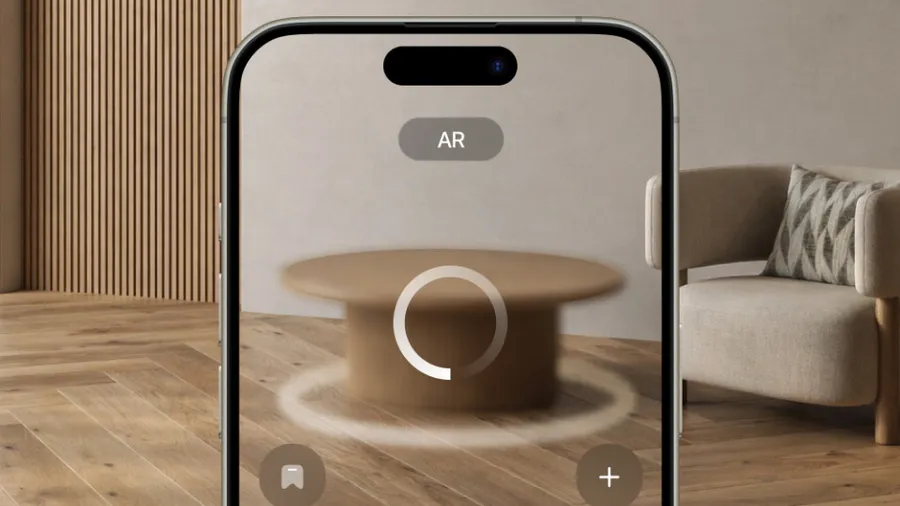
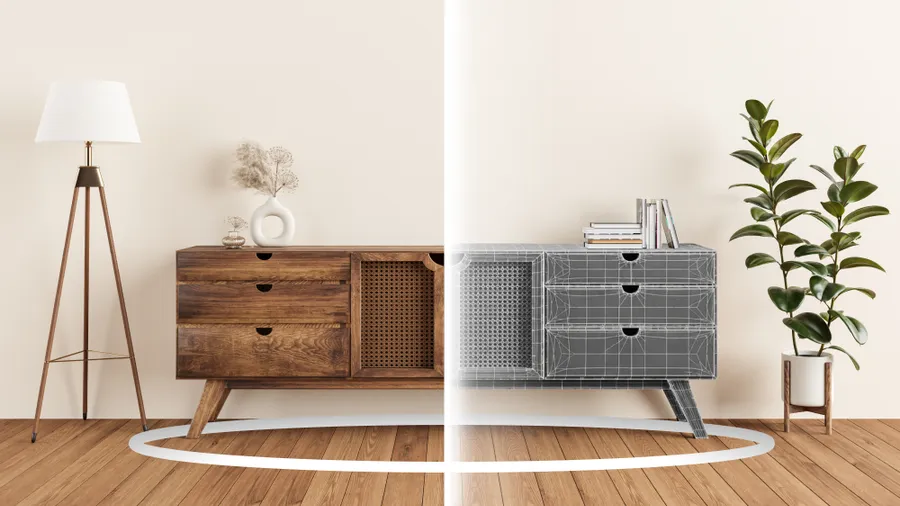
Among today’s emerging tools, Vizbl stands out as a powerful example of how augmented reality UI can enhance everyday decision-making. Vizbl allows people to place virtual furniture, décor, or product prototypes directly into their real environment. What truly sets it apart is not the 3D accuracy alone, but the way the interface feels considerate of real human behavior.
When a person places an object in a room, Vizbl’s interface doesn’t bombard them with heavy controls. Instead, it gently guides the experience with natural gestures, soft visual markers, and stable anchoring that mimics how real objects behave. Users can walk around the item, adjust its position with simple motions, and evaluate it instinctively—just as they would in a physical store.
For businesses, Vizbl serves almost like a plug-and-play augmented reality UI kit, offering consistent interaction patterns and spatial behaviors that remove much of the complexity of AR development. For everyday users, it becomes a trustworthy helper—something that reduces uncertainty and makes decisions feel grounded in reality. In many ways, Vizbl embodies the direction modern ui for augmented reality is heading: technology that is powerful but feels quietly supportive rather than intrusive.
Real-World Augmented Reality UI Examples
AR is expanding across industries, and each application reveals different approaches to UI:
Product Visualization
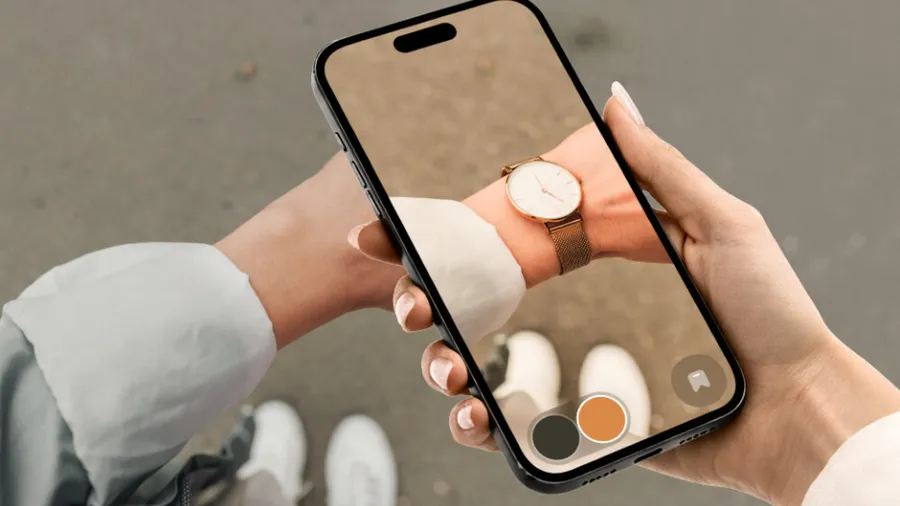
Users can place life-sized items in their space, rotate them, and inspect them naturally. These interfaces often use subtle grids, shadows, and handles to guide placement.
Navigation & Wayfinding
Arrows, markers, and floating labels blend with the environment to guide users through airports, malls, campuses, or outdoor paths without overwhelming the scene.
Training & Education
Complex tasks can be broken into spatial, step-by-step instructions. Holographic guides, tooltips, and animations help learners understand processes with remarkable clarity.
Entertainment & Storytelling
Games and interactive experiences use dynamic spatial elements that react to the user’s movement, creating immersive, playful worlds layered onto reality.
These augmented reality ui examples highlight the versatility and creative potential of spatial interfaces.
Tools and Augmented Reality UI Kits
To speed up workflow, designers and developers often rely on an augmented reality UI kit that includes templates and ready-to-use components such as:
- Reticles and scanning indicators
- Gesture prompts
- Spatial toolbars and context menus
- Anchoring markers
- Placement grids
- Animation presets
These kits help maintain consistency across experiences and ensure that the final product meets user expectations and industry standards.
Designing UI for Augmented Reality: Best Practices
A successful AR UI respects both human perception and the physical environment. Here are key guidelines used across the industry:
- Keep text large, clear, and high-contrast
- Avoid clutter and unnecessary floating elements
- Use animations to guide, not entertain
- Educate users gently through onboarding and micro-tutorials
- Test frequently in actual environments, not just simulations
- Ensure interactions can be used comfortably for long periods
Ultimately, the best augmented reality ui design is invisible—it supports the experience without drawing attention to itself.
Conclusion
Augmented reality is reshaping how we interact with digital content, and the future of AR depends on creating interfaces that feel intuitive, human, and seamlessly integrated with the world around us. By following strong design principles, studying real-world augmented reality UI examples, using reliable UI kits, and adhering to emerging industry standards for augmented reality UI, creators can build experiences that feel natural and meaningful.
As tools like Vizbl show, AR UI isn’t just about technology—it’s about empowering people to make better decisions, explore their surroundings, and imagine new possibilities. The more human and thoughtful our AR interfaces become, the closer we get to a world where digital and physical realities work together effortlessly.