
Vizbl Core AR
Let shoppers see your products in their space before they buy
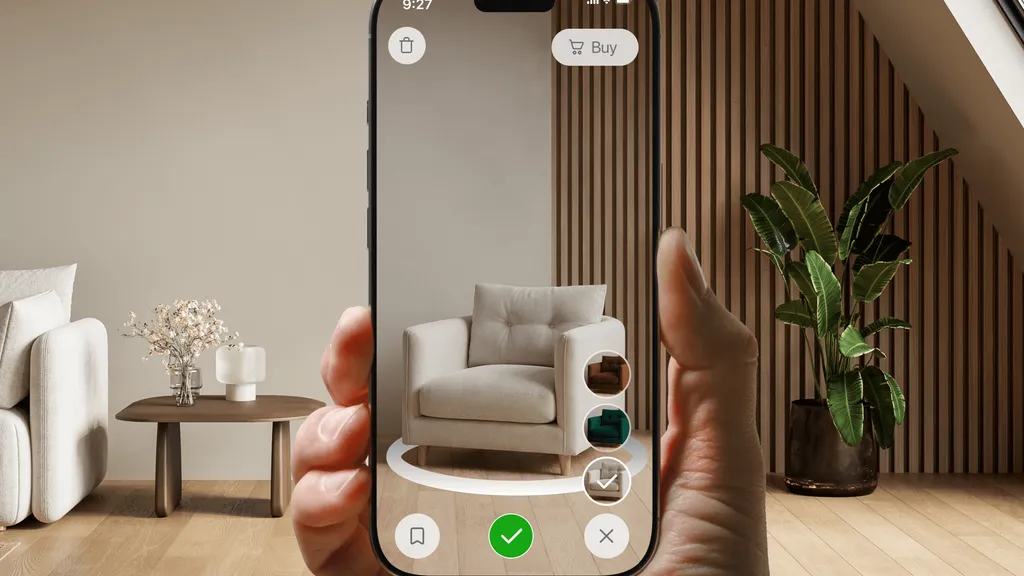
Vizbl Core AR adds a 3D view and an AR try-on to your product pages. Shoppers spin a true-scale model from any angle, then place it in their real room through the phone camera — no app to install, no SDK to build.
Free to start — 1,000 tokens included, no card required.
Live demo
Spin a real product — right on this page
These are live 3D models in the same viewer your shoppers will get. Open one, look at it from any angle — and hit the AR button inside to place it in your room at true scale.
A full sample store: ten products and every integration mode — from 3D in the gallery to QR codes in print.
Personal demo
Get a free demo with your actual products
We’ll set it up with products from your store — so you see exactly what your shoppers will experience. 20 minutes, no pitch deck.
Four ways to put it in your store
Every mode runs on the same 3D catalog — pick one or combine them. All four are live in the sample store above.
The viewer sits right in the gallery, where the main photo would be. Shoppers rotate the model with a mouse or a finger — not a single extra button on the page.
One button on the product page opens the model in a modal window — with colors, materials, modules, and the AR try-on inside.
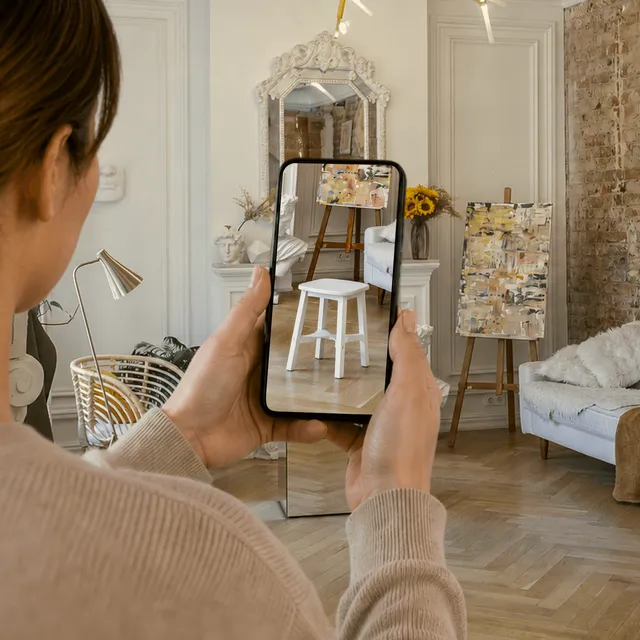
On a phone, the product lands straight in the shopper’s room. On a desktop, the button shows a QR code that hands the session over to their phone.
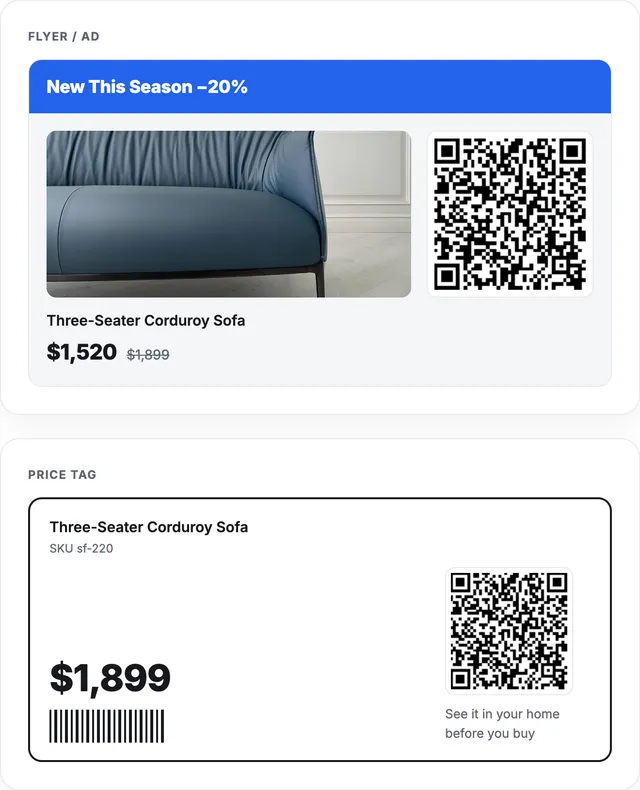
The same AR opens from a flyer, a catalog, a price tag, or the packaging — one printed code takes shoppers from paper to their room.
Configurator
Live visualization — color, material, modular
Setup takes minutes inside the Vizbl editor.
Shoppers can switch materials, finishes, and modular layouts in real time — oak to black ash, velvet to leather, brass to polished chrome. Add a chaise, swap the legs, extend a corner module. Every change applies instantly — the 3D renderings update in real time and carry over into AR.
Multi-AR
Bring products to life
From a single product to a full room — all in one AR session.
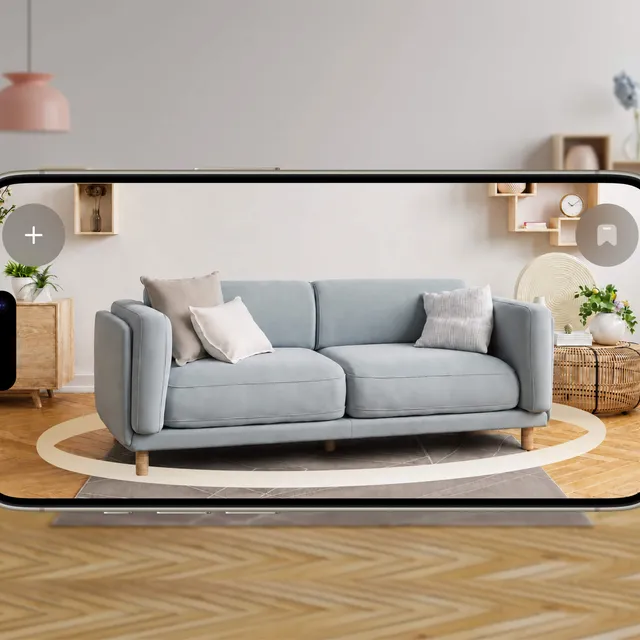
Customers don’t shop one product at a time — they’re furnishing a room. Multi-AR lets them pull a sofa, a side table, a rug, and a floor lamp into the same scene in real time, through their phone camera, right from the product page. They compose the look, test different designs, and add everything to cart.
Smart placement
Snap to gallery walls & modular layouts
Gallery walls and modular sets assemble themselves.
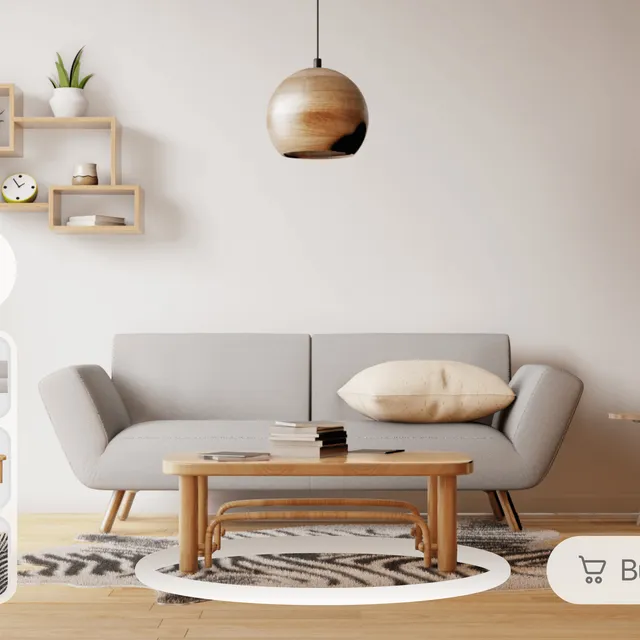
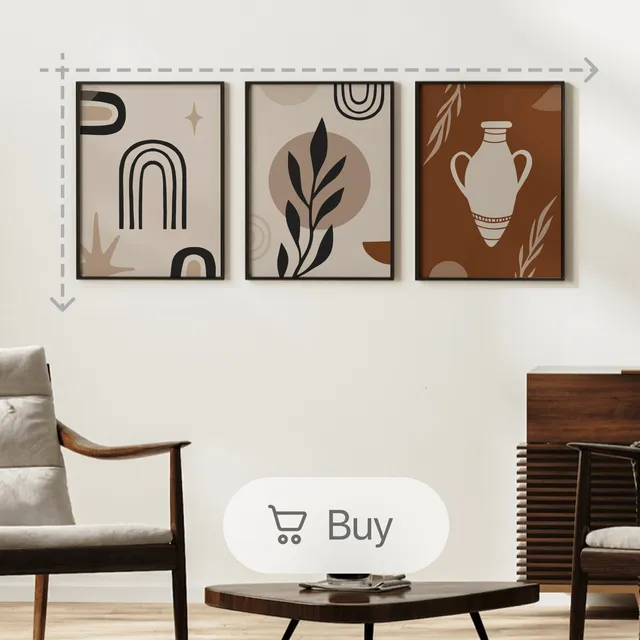
Vizbl automatically aligns pieces that belong together — wall art, shelving, modular furniture. As the customer adds items, they snap into place and distribute evenly. The gallery wall builds itself. Everything can be added to the cart together.
Surface detection
Surface & object recognition
Every surface in the room is detected automatically.
No matter what the room looks like, Vizbl detects any horizontal, vertical, or overhead surface in the camera frame — accurate to ±5mm. A sofa lands on the floor, art goes on the wall, a pendant light finds the ceiling.
Vizbl also recognizes surfaces on freestanding objects. Place a virtual lamp on a real table, and it sits on the table — not on the floor beneath it.
Beyond the website
One QR code — from print to their room
The AR try-on works wherever your ads work.
Every Vizbl object has a permanent AR link, and any QR code that carries it becomes a doorway. A shopper points their camera at a flyer, a catalog page, a price tag, or the box itself — and the product stands in their room at real size.
There’s no landing page in between and nothing to install: the code opens the AR view straight in the phone’s browser. Print it once — it keeps working across campaigns, reprints, and seasons.
Launch in days — with or without 3D models
Send your store link or product list
Tell us which products should get 3D & AR first — bestsellers and high-consideration items are the usual start. Already have 3D models? We use them as they are.
We prepare the 3D catalog
No models yet? Our team builds them from your product photos and dimensions, links each one to its product page, and configures the colors, materials, and modules shoppers can switch.
Add one script and a button
One script tag site-wide, one button per product page — about half an hour on Shopify, WooCommerce, Wix, Squarespace, Webflow, or a fully custom build. The script loads lazily and doesn’t slow your pages down.

Pricing
Start free. Pay for what shoppers actually use.
Every new account includes 1,000 free tokens. Letting shoppers spin your products in 3D is always free — tokens are only spent when a model loads in AR. No subscription, no card required to start, and unused tokens never expire.
One script tag — works with any storefront


Got questions?
What are the benefits of AR product visualization compared to traditional product photography?
Photos show what a product looks like. AR lets shoppers check whether it actually works for them. Take a sofa. A customer can measure their living room, double-check the dimensions on the product page, and still end up with something that doesn't fit — because measuring is imprecise and spatial judgment is hard. With AR, they place the sofa in their room before ordering. They see it at scale, in context, next to their actual furniture. That's the difference: photos answer "what does it look like?" — AR answers "will this work in my home?" Fewer doubts at that stage means fewer returns later.
How can product visualization improve conversion rates?
There's a well-documented psychological effect called the endowment effect — once people feel like something is theirs, they're more likely to follow through and buy it. AR triggers exactly that. When a shopper places your product in their room and sees it sitting there, they've already started owning it mentally. The decision stops being "should I buy this?" and becomes "do I want to give this up?" That's a fundamentally different — and much easier — decision to make.
What types of products are best suited for AR visualization?
The common thread is products where fit, scale, or appearance in context matters — and photos can’t fully answer that. Things like: furniture and interior objects, wall, and floor coverings, lighting, large appliances, garden, and outdoor décor, children’s play equipment, architectural elements, indoor plants. If a customer needs to imagine how something looks in a specific room — or whether it physically fits — that’s where 3D and AR do work and photos don’t.
What industries benefit most from this solution?
AR works best when the buyer needs to evaluate size, fit, or appearance before committing — and can’t do that from photos alone. That’s most obviously true for furniture, home décor, appliances, and fixtures. But industry matters less than product type. A good rule of thumb — AR is worth looking at if your store deals with any of these:
- High return rates because products don’t match expectations in person
- Products that need to fit a space or be worn on the body
- Variants across color, material, or size that customers need to compare
- Items manufactured at scale with consistent 3D geometry
How does AR product visualization integrate with existing ecommerce platforms?
Most of the technical heavy lifting is handled on our end — you’re not building an AR integration from scratch:
- Create a free Vizbl account, or book a demo and we’ll create it with you.
- Upload your 3D models and link them to the right product pages. No models yet? We can make them.
- Configure the features you need — color switching, multi-object view, interaction settings.
Does it take long to set up?
Installing the code takes about half an hour: one script tag site-wide and a button on each product page — on Shopify, WooCommerce, Wix, Squarespace, Webflow, or a custom build. The timeline to launch is set by the 3D catalog: if you already have models, it’s days; if we build them for you, it depends on how many products you start with.
Will the widget slow down my site?
No. The script loads lazily, after the rest of the page — it doesn’t block rendering and doesn’t affect page load speed.
How much does visualization software typically cost?
It depends on how you go about it. Building AR in-house means sourcing 3D models, setting up storage, integrating it into your site, and handling all the edge cases yourself. That kind of custom development can run as much as a full app build. Vizbl is a different model — most of that work is already done. You’re not paying for development, you’re paying for a solution that’s ready to plug in. Every new account starts with 1,000 free tokens, and after that you pay per use: 3D viewing stays free, tokens are spent when a model loads in AR.
How is AR related to product visualization?
3D visualization and AR are related but distinct. 3D visualization means showing a product as a three-dimensional object — letting shoppers rotate it, zoom in, and explore it from any angle. AR goes one step further: it takes that same 3D model and places it in the customer’s real environment through their phone camera, at actual scale and in actual light conditions. In practice, most Vizbl implementations offer both — the 3D viewer for close inspection, and AR for spatial context. They answer different questions: one shows what the product looks like, the other shows whether it works in your space.
Book a demo
See your own products in 3D & AR
20-minute live demo with products from your actual store — you see ROI on your real numbers, not slides. No card, no contract, no pressure. We respond within one business hour. Prefer to explore on your own? Start free instead.