The simplest way to bring AR to your customers.
A standard AR link opens a page where customers can launch AR view.
On mobile, customers follow the link and AR view launches right away. On desktop, they'll see a QR code — scanning it with a phone camera opens the same link.
1. In your dashboard, click 3D Models in the top navigation bar.
2. In the model list, click the copy icon on any model. In the dropdown that appears, click the same icon next to your object's ID.
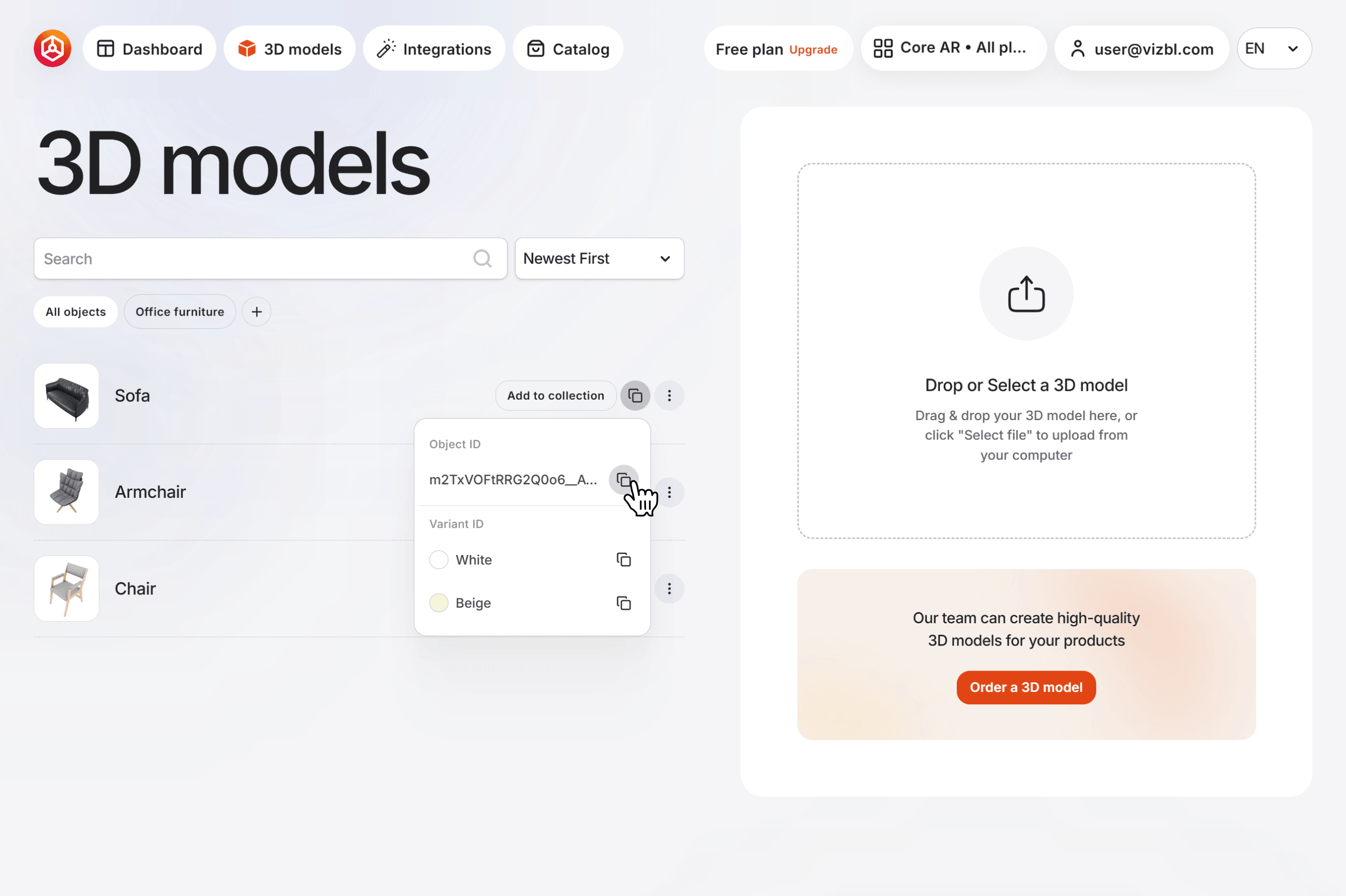
3. To build the link, paste the object code after https://vizbl.com/p/. For example:
K7CCtKS9Qaer7fQW-6IN1Q → https://vizbl.com/p/K7CCtKS9Qaer7fQW-6IN1Q
4. Add this link to your website — as a text link, button, or icon — or send it directly to your customer via email or messenger.


