· AR · 5 min read
Augmented reality QR codes: turning simple scans into meaningful experiences
Augmented reality QR codes combine the accessibility of traditional QR codes with the immersive power of AR, transforming a simple scan into an interactive, engaging experience. While QR codes act as the easy entry point, augmented reality delivers dynamic content such as 3D models, animations, and interactive lessons layered onto the real world, all without requiring special hardware or apps. Rather than replacing QR codes, AR enhances them, creating frictionless interactions that are widely supported by modern smartphones. From education and publishing to retail, training, and marketing, this combination bridges physical and digital spaces, increases engagement, and adds meaningful value—making QR codes the invisible infrastructure behind richer, more memorable experiences.

Not long ago, QR codes felt like a temporary trend—useful, but uninspiring. Then augmented reality arrived and quietly changed the rules. Today, when people talk about innovation in digital interaction, they’re often referring to QR code with AR, a powerful combination that transforms a simple scan into an immersive experience.
In many ways, augmented reality is the new QR code, yet QR codes remain the gateway that makes AR accessible to everyone. Together, they form a bridge between physical objects and interactive digital worlds.
What Makes an Augmented Reality QR Code Different?
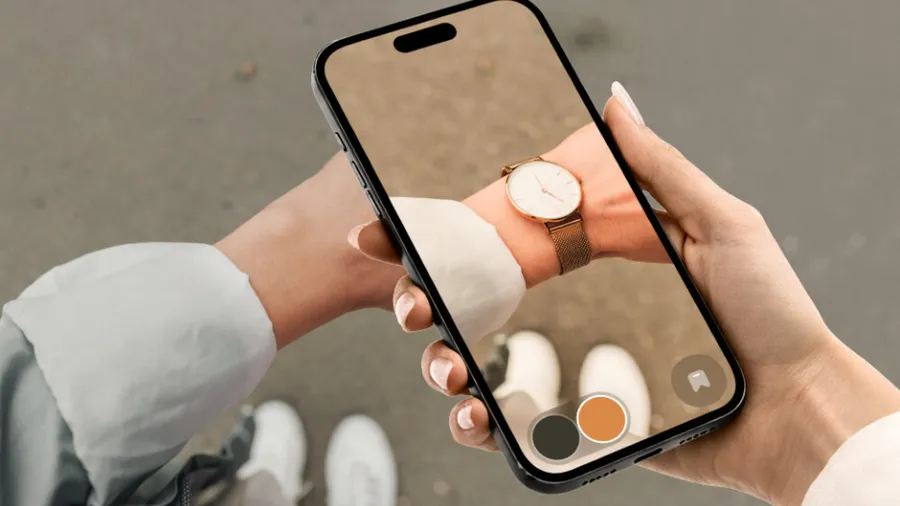
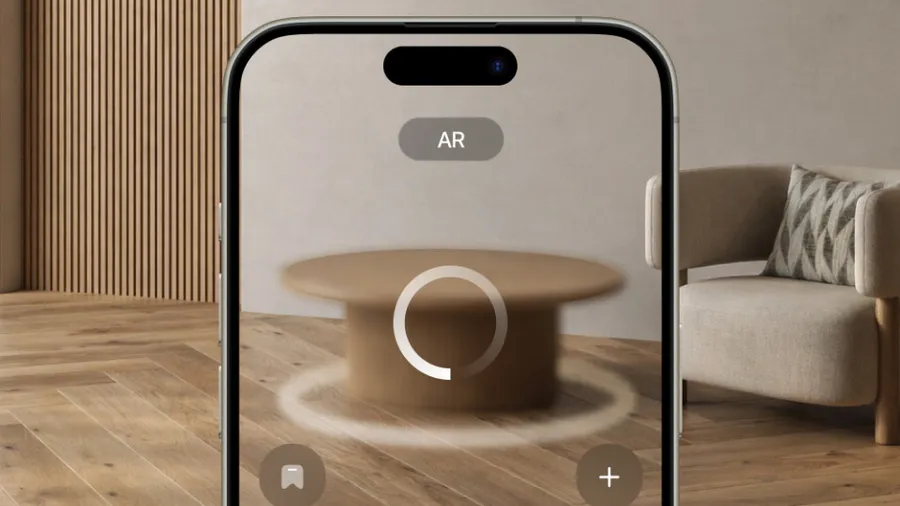
An augmented reality QR code looks like any other QR code. The magic happens after the scan. Instead of opening a static webpage, the code launches an AR experience—3D objects, animated scenes, interactive lessons, or spatial storytelling layered over the real world.
This is the foundation of an augmented reality system through QR code access: instant, intuitive, and hardware-free for the user.
Understanding the difference between AR code and QR code is simple:
- A QR code is the trigger.
- AR is the experience it unlocks.
They don’t compete—they depend on each other.
Augmented Reality vs QR Codes: A False Choice
People often frame the discussion as augmented reality vs QR codes, but that comparison misses the point. QR codes are not being replaced; they’re being upgraded.
QR codes excel at accessibility. Augmented reality excels at engagement. When combined, they deliver something neither could achieve alone: interaction without friction.
That’s why so many designers now say augmented reality is the new QR code, even though QR codes remain the backbone of AR delivery.
Read Also: Why AR and VR Are Quietly Changing the Way We Experience Brands
Do QR Code Scanners Work With AR?
Yes—and this is where adoption really accelerates.
Do QR code scanners work with AR?
Modern smartphones already support QR scanning through their native camera apps. Once scanned, the QR code redirects the user to an AR-enabled webpage or application.
In other words, the scanner doesn’t need to “understand” AR. It only needs to open the door.
Can You Create Custom QR Code for AR?
You absolutely can.
If you’re wondering can you create custom QR code for AR, the answer is yes—custom shapes, colors, logos, and dynamic links are all possible. As long as the QR code leads to an AR experience, the design is flexible.
Customization is especially important for branding, educational clarity, and user trust.
How to Create Augmented Reality QR Code (A Practical Guide)
Many creators ask how to build AR on QR code, and the process is simpler than it sounds.
Step 1: Design the AR Experience
Use an AR platform to create your experience—this might include a 3D model, animation, or interactive overlay. This step is essential if you’re learning how to make a QR code for AR model.
Step 2: Publish the Experience
Host the AR content online or within an AR-enabled app. Web-based AR is especially effective because it avoids app downloads.
Step 3: Generate the QR Code
Link the hosted AR experience to a QR code. This is the moment you officially create augmented reality QR code functionality.
Step 4: Test in Real Environments
Testing is crucial. Lighting, device compatibility, and user instructions all affect the experience.
This workflow forms the backbone of any effective QR code augmented reality tutorial.
How to Make an Augmented Reality QR Code Without Overcomplicating It
If you’re still asking how to make augmented reality QR code, here’s the simplest answer:
Create the AR → host it → link it → test it.
The same logic applies whether you’re trying to create QR code augmented reality for a classroom, a product, or a marketing campaign.
Real-World QR Code Augmented Reality Examples
The true power of this technology becomes clear when you look at practical use cases.
Education & Learning
QR code augmented reality examples of similes where abstract comparisons appear visually in front of students
QR code augmented reality examples of idioms brought to life through animation
QR code augmented reality examples of classical conditioning, showing stimulus-response relationships interactively
These experiences make learning memorable instead of mechanical.
Publishing & Media
- QR code augmented reality examples of cover designs where books, magazines, or reports reveal hidden content when scanned
Training & Demonstration
- Step-by-step AR guides triggered through QR codes in manuals or workplaces
These QR code augmented reality examples prove that AR doesn’t need to be futuristic—it just needs to be useful.
Applying QR Code in Augmented Reality Applications
Today, organizations are actively applying QR code in augmented reality applications across industries:
- Retail product previews
- Museum exhibits
- Healthcare training
- Architecture and real estate visualization
- Interactive marketing campaigns
Each use case relies on the same principle: reduce friction, increase engagement.
Best Practices Using QR Codes for Augmented Reality
To create experiences people actually enjoy, follow these best practices using QR codes for augmented reality:
- Keep instructions visible and simple
- Optimize AR content for mobile performance
- Design QR codes with contrast and clarity
- Always test in real-world lighting
- Provide value immediately after scanning
Good AR respects the user’s time.
Why Augmented Reality Feels Like the Next Evolution
QR codes helped people jump from the physical world to the digital one. Augmented reality brings digital content back into the physical world—enhanced, contextual, and interactive.
That’s why many creators believe augmented reality is the new QR code: not because QR codes are obsolete, but because they’ve become the invisible infrastructure behind richer experiences.
Final Thoughts
Whether you’re exploring QR code augmented reality examples, learning how to create augmented reality QR code, or building an entire augmented reality system through QR code, one thing is clear: this technology works best when it feels natural.
When done right, scanning a QR code doesn’t feel like a technical step—it feels like curiosity being rewarded.