Learn how to create a Vizbl account, update your profile details, and give your team access to your account.
Registration
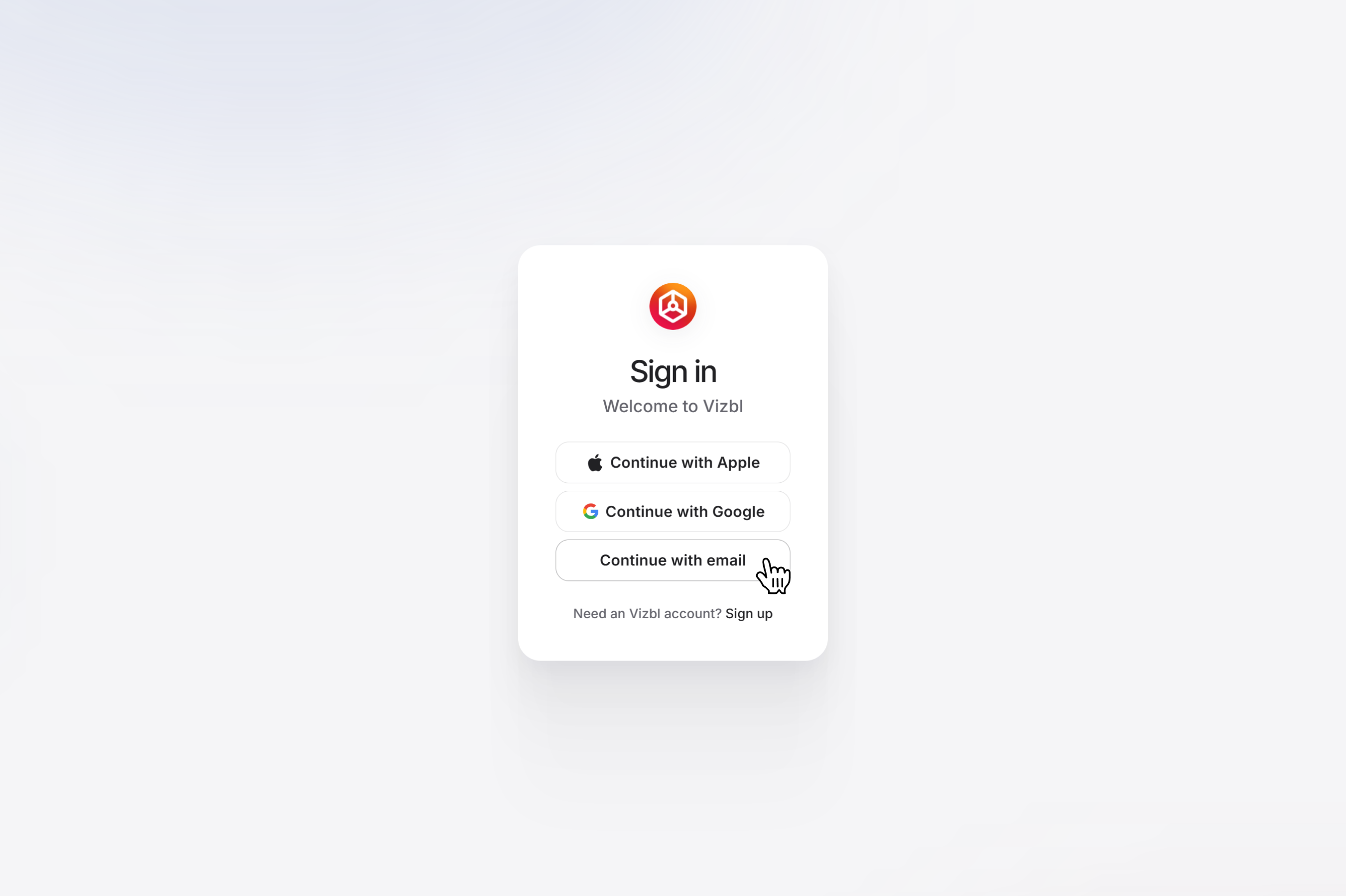
1. Go to vizbl.com and click Sign Up.
2. Choose how you'd like to sign up: continue with your Google or Apple account, or click Continue with Email to register with an email address and password.
3. Your Vizbl account will be created and your dashboard will open automatically.
4. Select a product and start setting it up.
Profile settings
After signing up, you can update your personal details at any time:
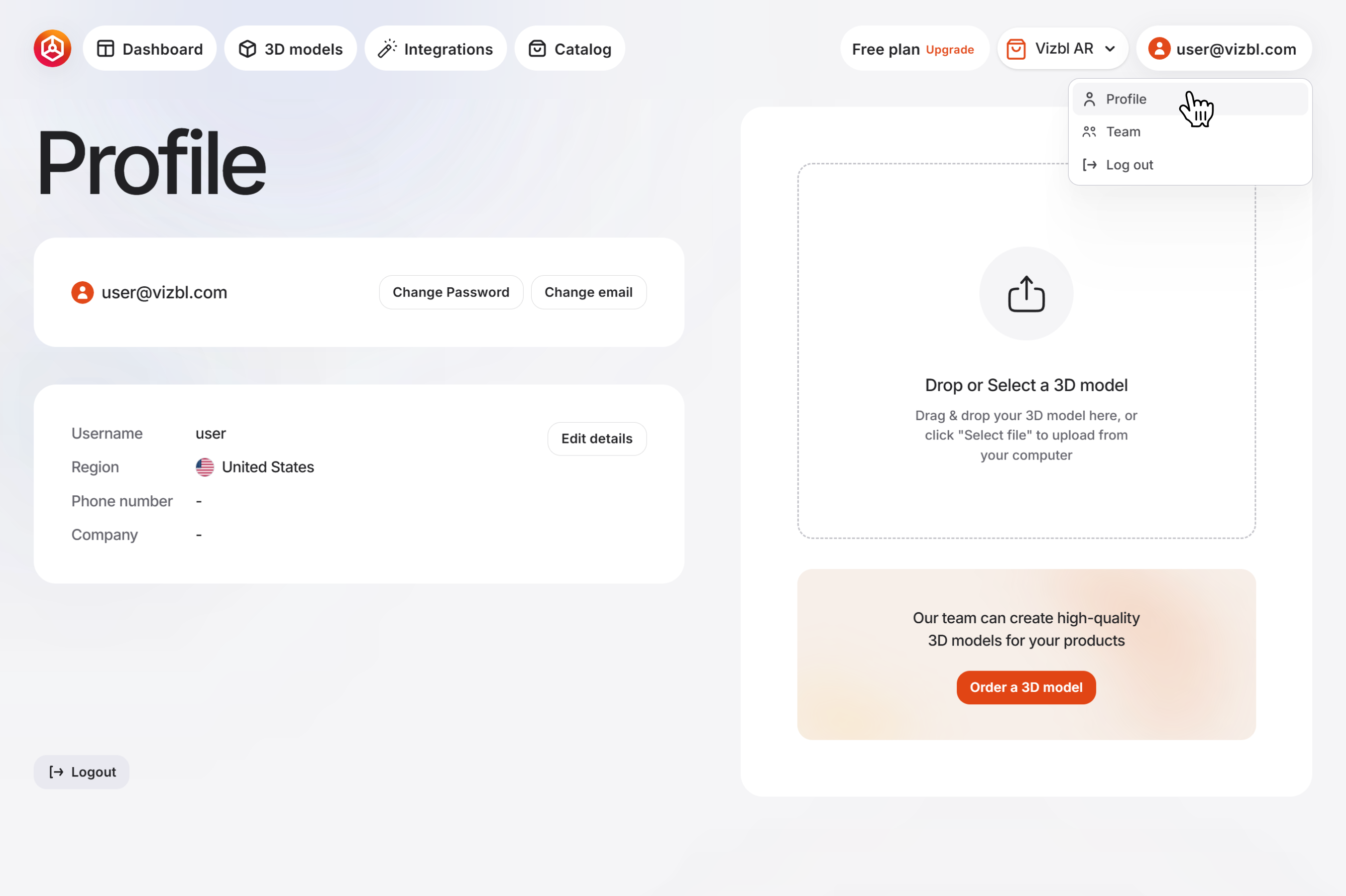
1. In the dashboard, click your email address in the top-right corner and select Profile from the dropdown.
2. On this page, you can update your email, username, phone number, and company name.
Team management
To invite teammates to manage your account:
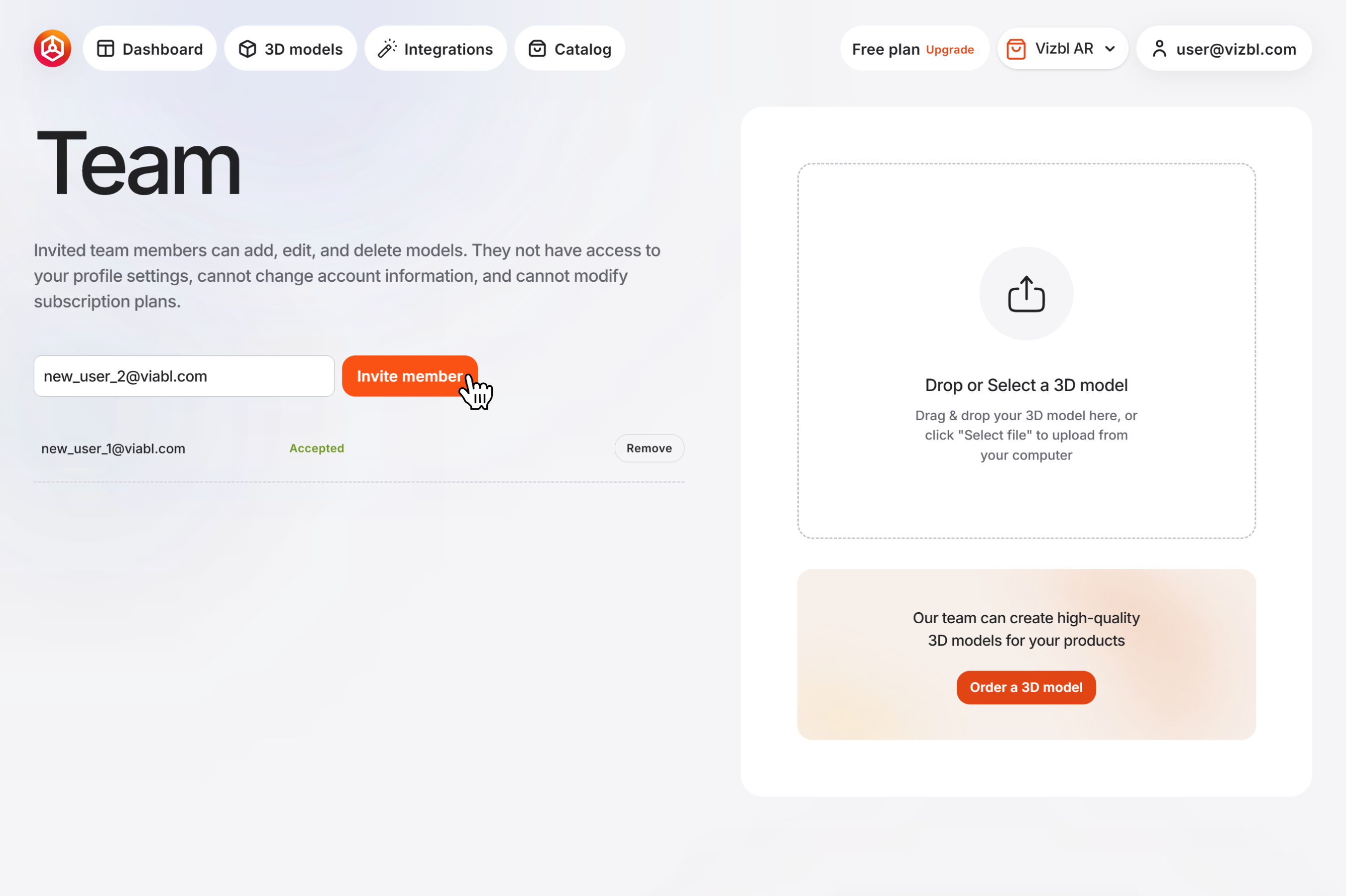
1. Click your email address in the top-right corner and select Team from the dropdown.
2. Enter your teammate's email address — they'll receive an invitation.
3. Once they accept, they'll have access to all your models and your current plan.
4. The Team menu shows everyone with access to your account. To remove someone, click Remove next to their email address.
Delete account
To delete your account, submit your email address through this form.
Your request will be processed within 14 days. Once processed, you will receive a confirmation link at your registered email. This link will be valid for 24 hours. Click the link, log in, and follow the prompts to confirm and permanently delete your account.


