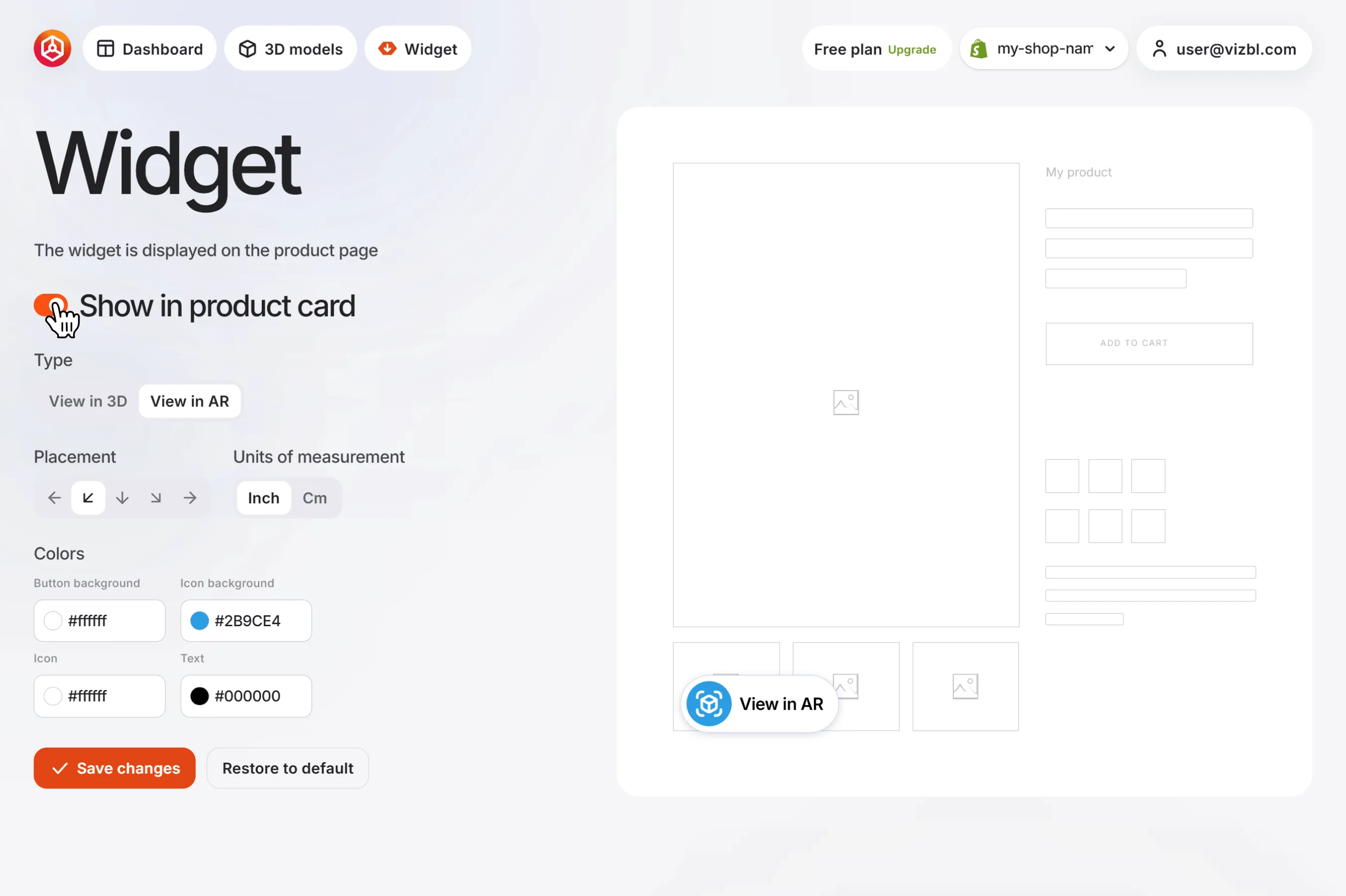
How to add and customize the AR button in Shopify.
Step-by-step instructions on how to add an augmented reality view button to a website page created on Shopify
Go to your dashboard and click Widget in the top panel. The widget settings screen opens.
Show in product card — enable this toggle to display the widget on all products linked to Vizbl objects.
Type — choose how the model opens:
- View in 3D — opens on a white background with zoom and rotation.
- View in AR — opens in AR using the smartphone camera.
Placement — sets the position of the widget button on the product card.
Units — defines which measurement units are used to display product dimensions.
Colors — controls the widget appearance. You can change the background, icon, and text colors.