
Adding a Flooring integration to your website
Learn how to get the widget code for any flooring variant and add the Flooring integration to your website.
1. Open your Flooring dashboard.
2. Click Flooring in the left panel, then select a floor covering and pick a variant.
You can’t upload your own flooring variants directly — to add your catalog, submit a request and our support team will take care of the upload. Until then, you can use the preset floor coverings already in Vizbl.
3. Click Widget code next to the variant. You’ll get a script and element code.
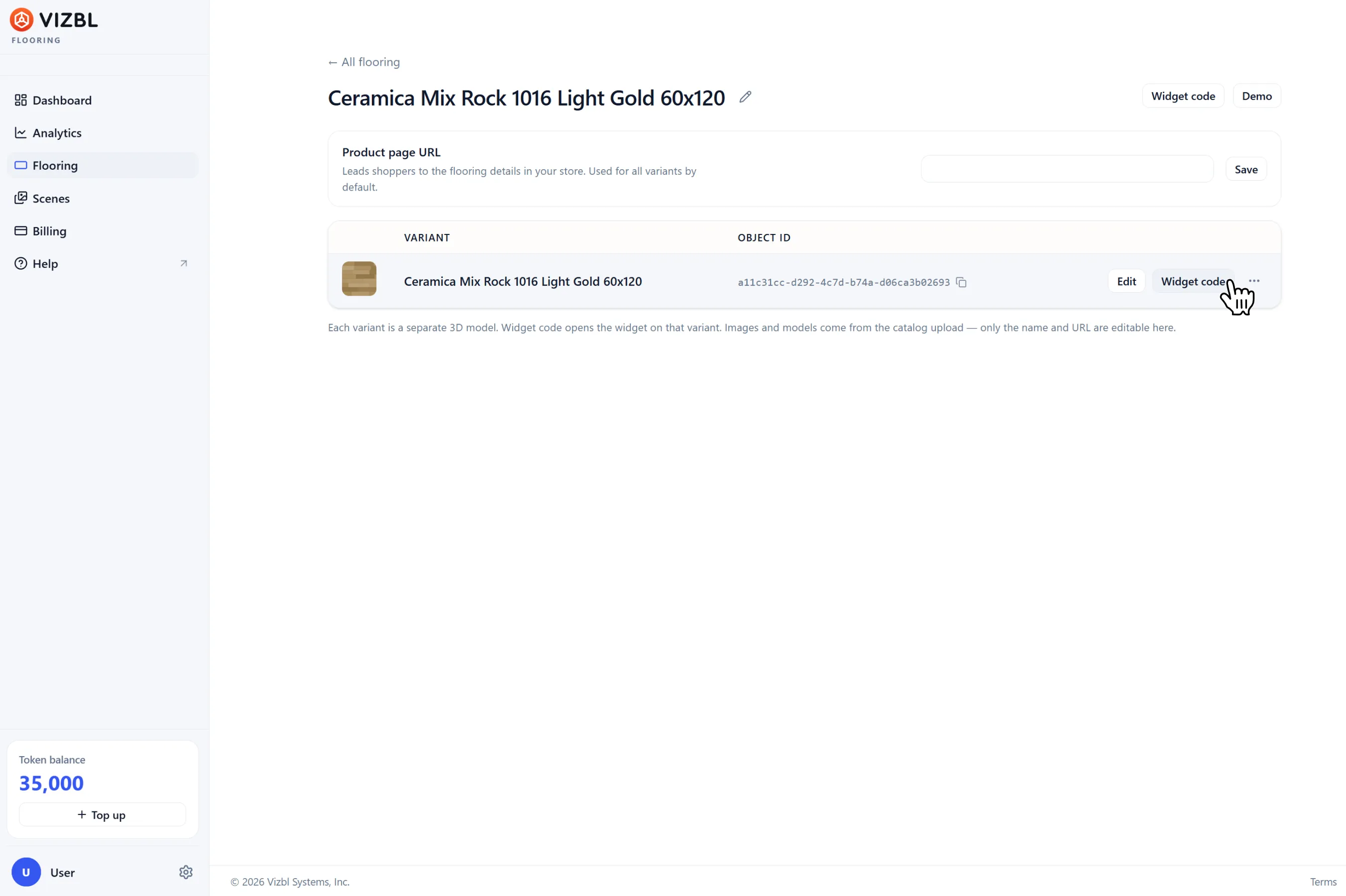
You can also grab the code from the dashboard — click Integration code and pick the variant you need.
If you haven’t gone through onboarding yet, you’ll need to add your domain first — enter your site address as shop.com, no protocol, www, or path. The integration won’t work otherwise.
You can update or remove your domain at any time. See the separate guide for details.
Script
Add this to your site’s once:
On a CMS like WordPress, add it to your site template.
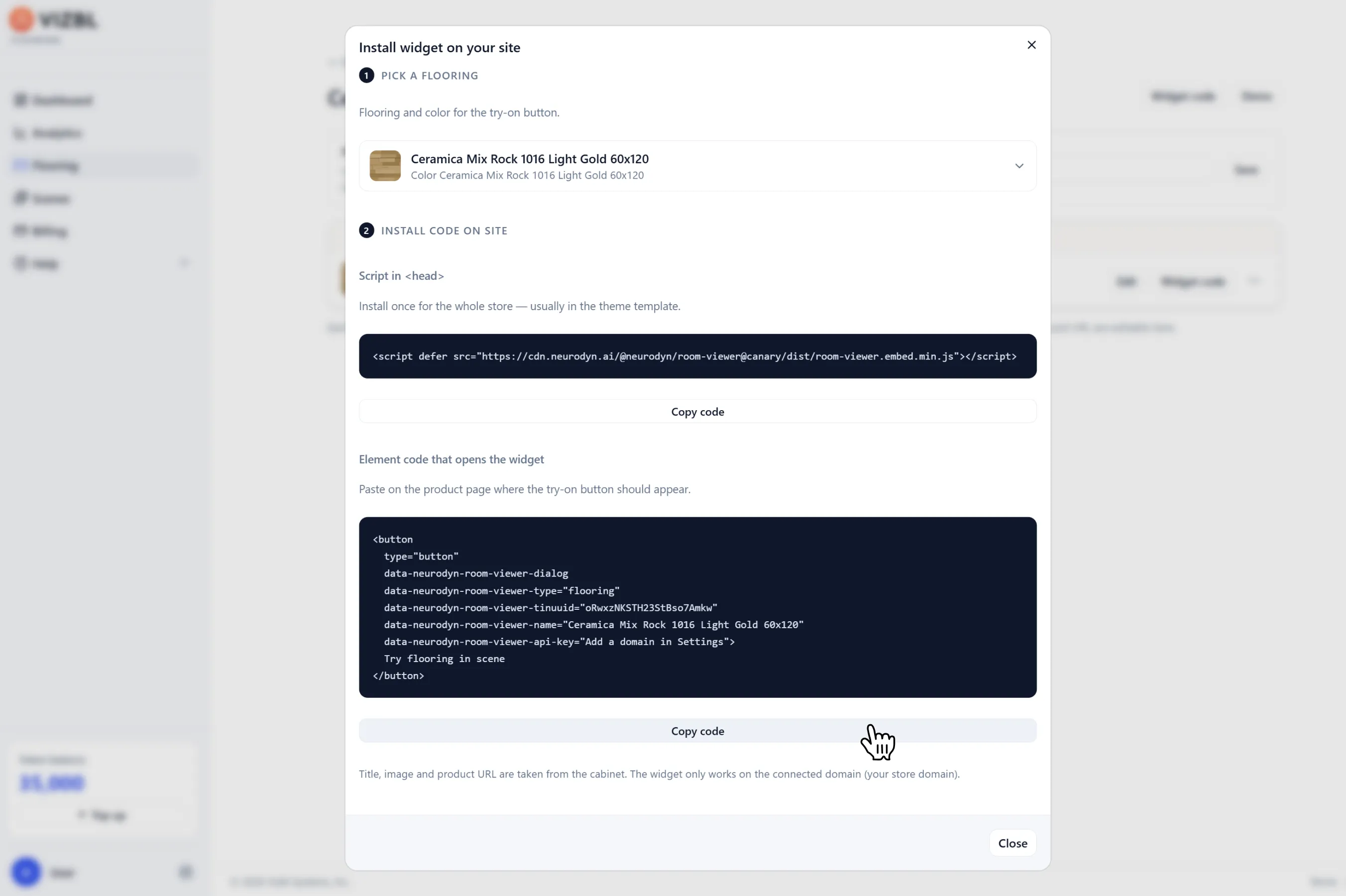
Element parameters
Triggers the virtual try-on when clicked. Paste the element code wherever you want on the page, or copy just the parameters and attach them to an existing element — a button, link, or image. Add them separately for each product.
No manual configuration needed — the parameters are generated automatically.
Here’s what the code looks like:
Get help in our Discord
Join our Discord to ask questions about these instructions or get technical support. If something isn’t working, open a ticket and our team will investigate.