
Adding and managing domains
Learn how to add domains to your account and keep your Vizbl integrations running on the right sites.
Your Vizbl integrations only run on domains you’ve added in account settings — this keeps them from being used on sites you don’t control.
Your domain list is shared across the whole account. A domain you add in Core AR also works in Wall Art and Rugs — there’s no need to add it again in every workspace.
Opening domain settings
- Go to the Vizbl workspace you need at vizbl.com/apps.
- Click your profile picture in the bottom-left corner to open account settings.
- Go to the Domains tab.
This is where you manage which domains your public integrations are allowed to run on. Domains are independent of your API keys.
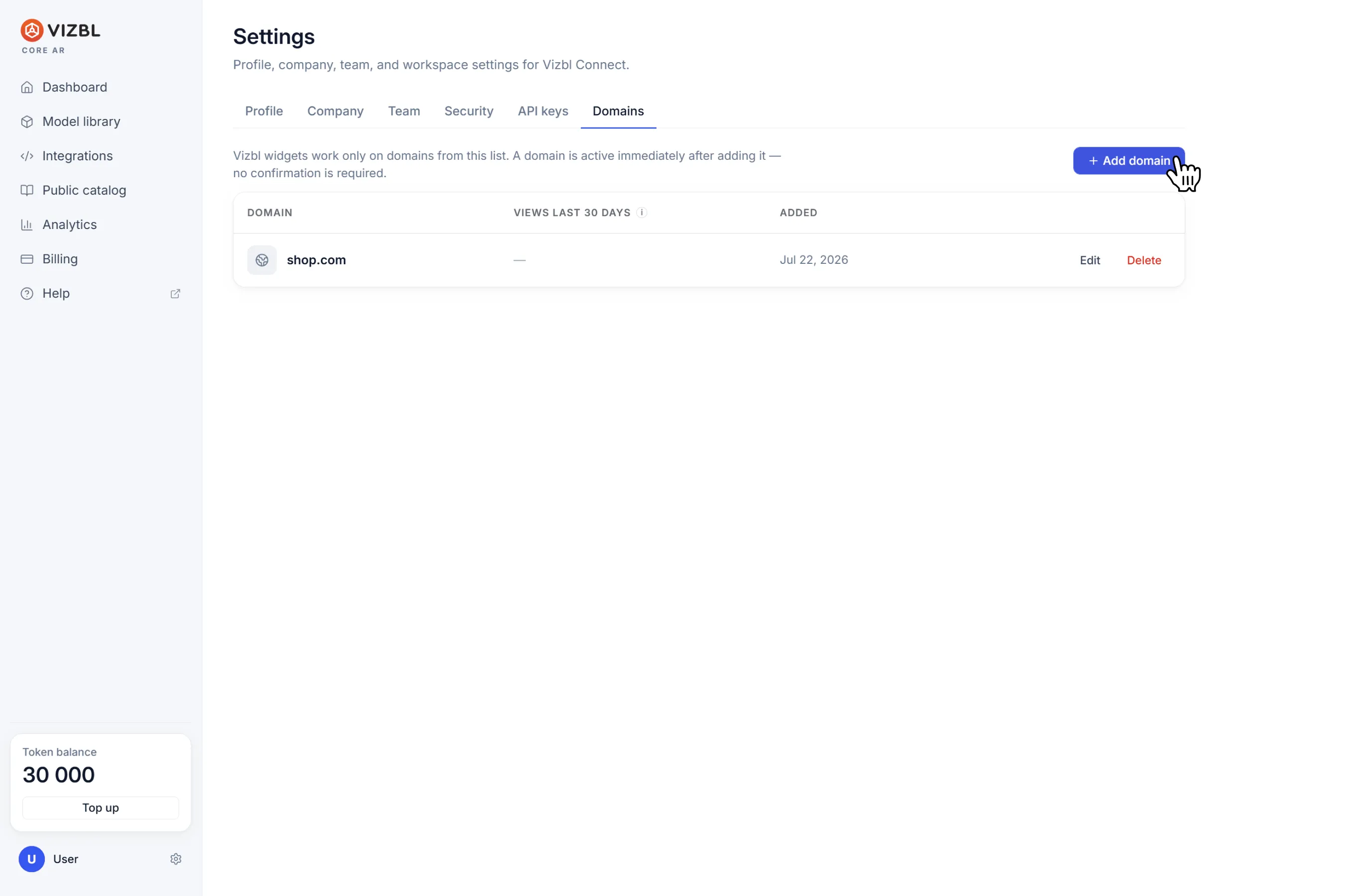
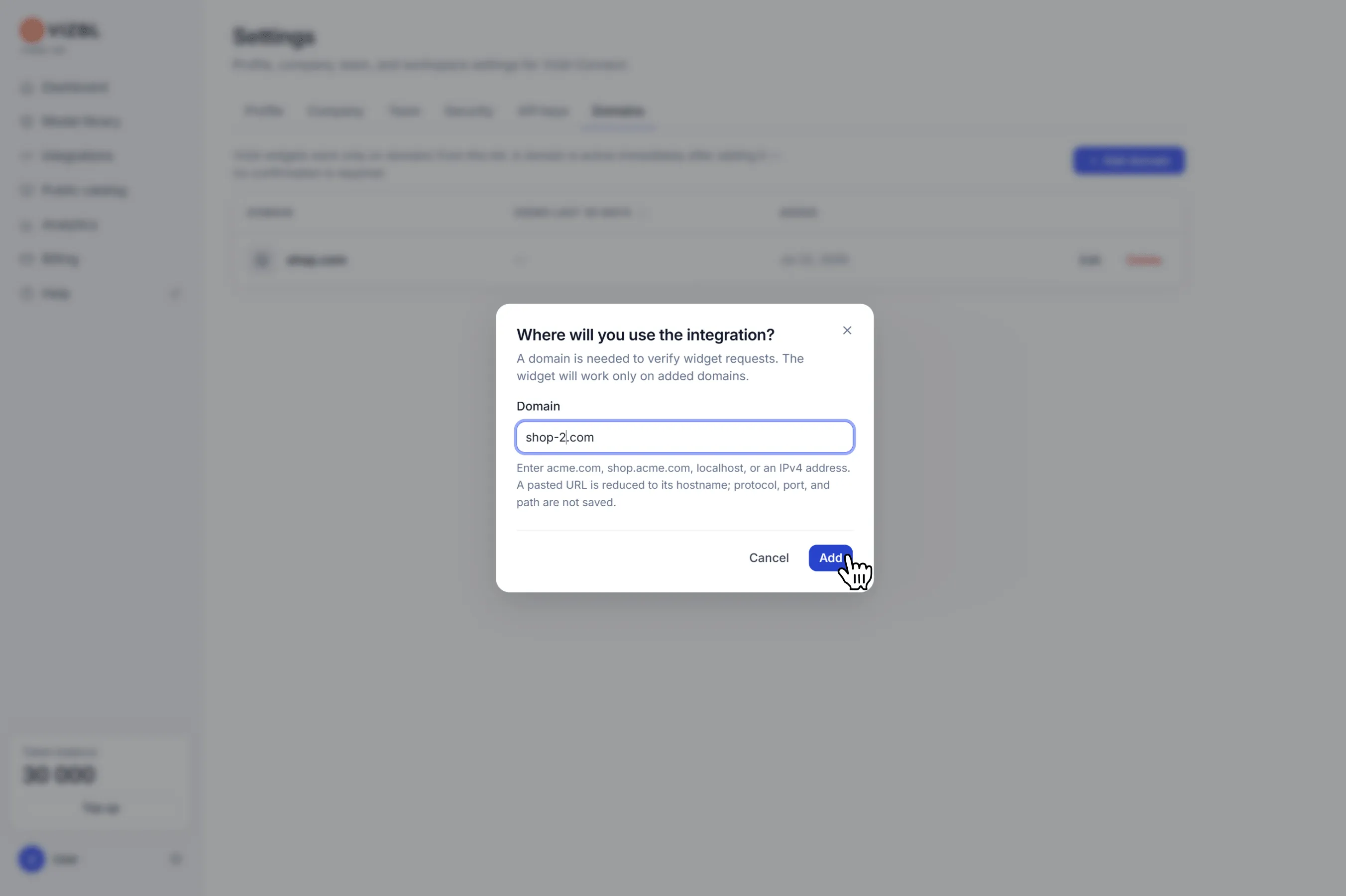
Click Add domain and enter your site address. Use the hostname only — no protocol, www, or path, or the integration won’t work.
Correct:
- shop.com — primary domain.
- rugs.shop.com — subdomain, treated as a separate site. Integrations set up for rugs.shop.com won’t work on shop.com, and vice versa.
Incorrect:
- https://shop.com
- http://shop.com
- www.shop.com
- shop.com/rugs
Domains can be edited or removed at any time. If you update or delete a domain with active integrations, they stop working at that address. Your integration code doesn’t change — it’s the same for every domain on your list. To get things running again, add the domain back to the list; there’s no need to copy the script again.
Get help in our Discord
Join our Discord to ask questions about these instructions or get technical support. If something isn’t working, open a ticket and our team will investigate.