· AR · 8 min read
Augmented Reality on Amazon: What Sellers Get, and How to Add Try-On to Your Own Store
Amazon says AR cut style-related returns by more than 40%. Here’s what its 3D, AR, and AI try-on features do, where they fall short, and how to add try-on to your own website.
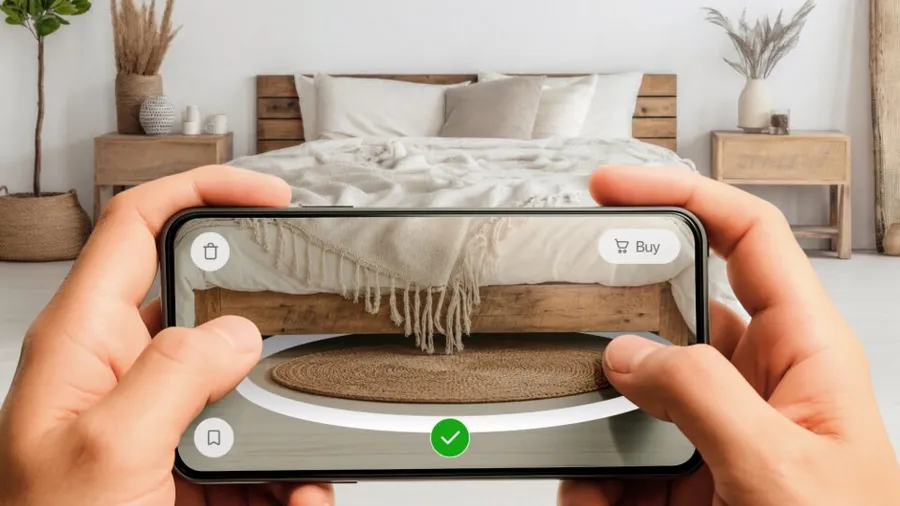
Amazon added AR to its shopping app in 2017, and by its own numbers, it pays off: fewer returns and more sales. But not every seller can turn it on, and shoppers can only use it in the app.
Here’s what Amazon augmented reality and AI try-on features do, what results Amazon reports, where they fall short, and how to add try-on to your own website.
Amazon’s try-on features
As of 2026, Amazon offers five:
- View in 3D is a 3D viewer where shoppers can rotate the product and zoom in.
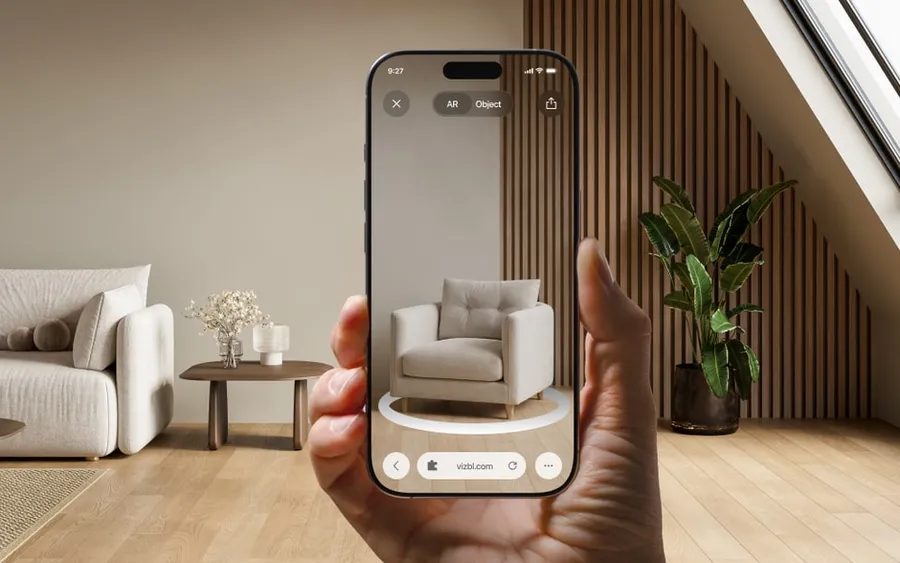
- View in Your Room is Amazon’s augmented reality for furniture and decor. Shoppers point their phone camera at the room, and the Amazon app places a 3D copy of the product in it.
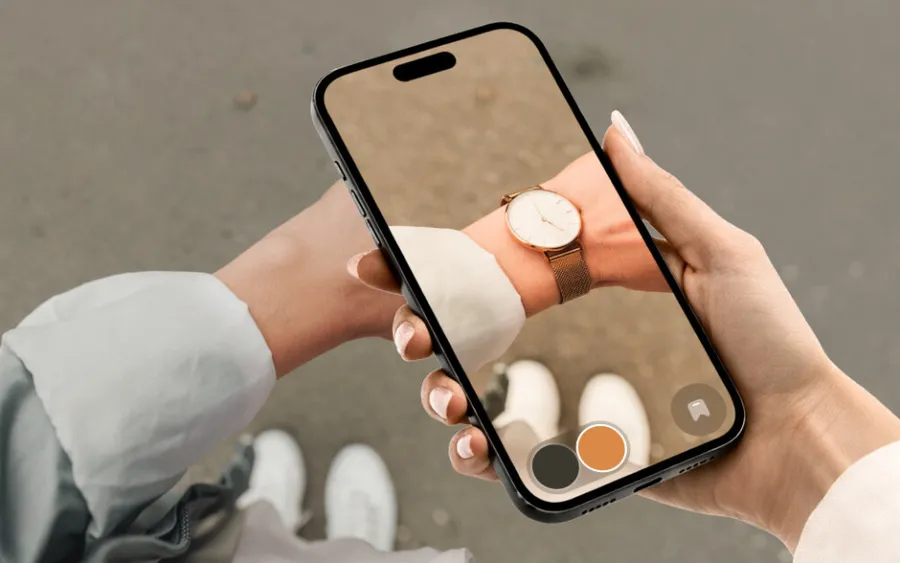
- Virtual Try-On is AR try-on for glasses and shoes. Shoppers point the camera at their face or feet and see the product on themselves.
- Apparel Virtual Try-On is AI try-on for clothing. Shoppers upload a photo of themselves, and AI dresses them in the item.
- See It On Your Model is the same AI try-on for clothing, shown on one of 40 Amazon models instead of the shopper’s own photo.
These features aren’t open to every seller. The main requirement is a registered trademark in the country where you do business. Amazon IP Accelerator, a paid service, gets you in sooner: if you file your trademark application through it, Amazon accepts it while it’s still pending. File on your own, and you wait until the trademark is registered, which in the US takes about 10 months on average.
What Amazon gets from virtual try-on
Amazon AR View, the company’s first AR feature, came to the shopping app in 2017. Since then, Amazon has added more product categories, more features, and more countries.
According to Amazon’s guide for sellers, the number of US shoppers who viewed products in AR grew eightfold from 2018 to 2022. In 2024, shoppers looked at more than 660,000 furniture, clothing, and accessory items in AR before buying them.
Amazon also reports what AR does for returns and sales. Its 2024 sustainability report says style-related returns fell by more than 40% for products shoppers had viewed in AR. A 2023 Amazon study found that listings with View in Your Room sold 9% more on average.
Virtual try-on has also replaced one of Amazon’s older programs. In January 2025, Amazon shut down Try Before You Buy, which let Prime members order clothes, try them on at home, and send back what they didn’t want. Amazon said the program only worked for a limited number of items, and that shoppers were turning to virtual try-on and other AI tools instead.
Some of the data comes from outside Amazon. In a 2024 survey of 1,000 US shoppers by Jungle Scout, an analytics tool for Amazon sellers, 31% of View in Your Room users said they’d bought something on Amazon that they would otherwise only have bought in a store.
Retailers that built their own try-on report similar results. Zalando cut returns by up to 40% in pilots of its virtual fitting room. Warby Parker ended its home try-on program for frames and now relies on virtual try-on and its stores.
Where Amazon’s try-on falls short
Amazon’s reports show more sales and fewer returns, but the feature has two big gaps: which products it covers, and where shoppers can see it.
Amazon limits product categories. Try-on only works for the product types on Amazon’s list. If you sell ceiling lights or chandeliers, for example, you can’t use it at all.
Here’s what Amazon AR leaves out:
- View in 3D: TVs, rugs, carpets, wall art, and headphones.
- View in Your Room: anything mounted on the ceiling, like chandeliers, light fixtures, and ceiling fans.
- Virtual Try-On: everything except shoes and glasses. Only some shoes qualify: sneakers, loafers, flats, athletic shoes, sandals without a toe strap, and other styles with heels under 1.5 in. High heels and boots aren’t on the list.
An Amazon employee shared these lists on the seller forums in 2025. The full list is in Seller Central, so only sellers can see it.
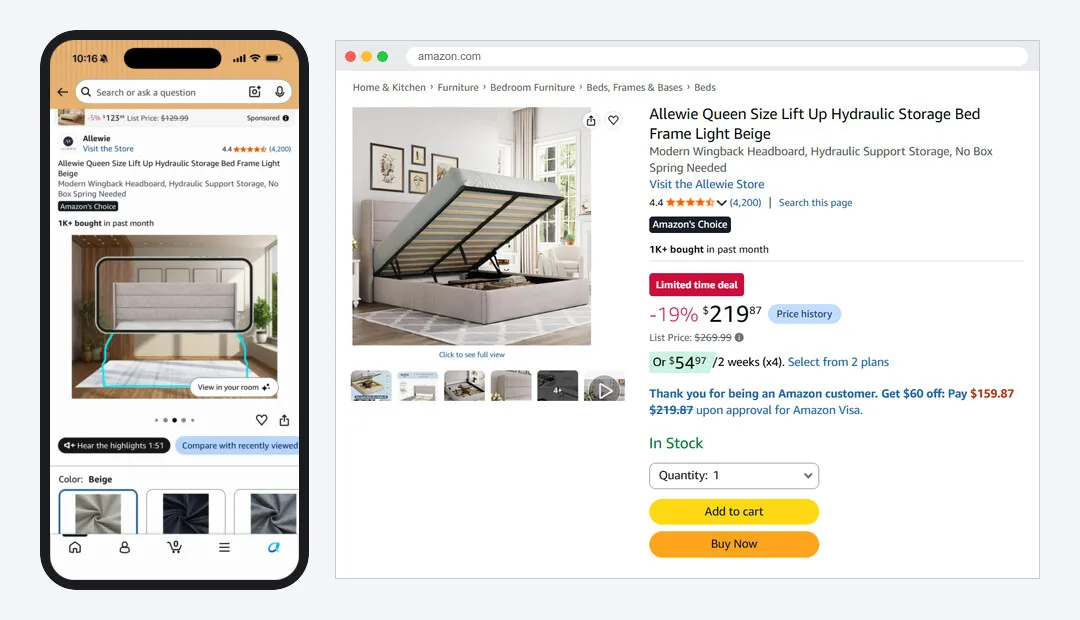
Right now, 3D and AR on Amazon only work in the mobile app. On the website, whether on a phone or a computer, there’s no button and no hint that the feature exists.
Say a shopper finds your sofa on Amazon on their laptop and is ready to buy. Your listing may have AR, but they’ll never know: on desktop, the button just isn’t there. They can’t check how the sofa would look in their room, so they put off the purchase.
Here’s the same bed listing in the app and on desktop:
How to add virtual try-on to your own website
On Amazon, the trademark alone takes months, and even then, try-on only works in the app and only for some categories.
That doesn’t make virtual try-on any less useful for sellers or shoppers. On your own site, Amazon’s rules don’t apply: you decide where the button goes and what it shows. So it’s worth trying it out, even on part of your catalog.
Choosing a provider. A small store has a few options:
- Build your own. It’s usually expensive and slow, and in the short term it may cost more than it earns.
- Hire an AR provider. It’s faster and cheaper than building your own, and it suits stores with large catalogs.
- Use an AR platform. For a small store, this is usually the best value. You’ll add the AR widgets to your site yourself, but there are no sales calls or contracts to go through first.
More on each option in our article on AR without an app →
Vizbl is both a provider and an AR platform, and unlike Amazon, we don’t ask for a trademark. For manufacturers and stores with large catalogs, we set up the integration and upload the catalog for them. Smaller stores can do it themselves with our Help Center, which covers every product from sign-up to a working button on your site, including on Shopify, WooCommerce, Wix, and BigCommerce.
Checking the limits. Every provider has limits, so before you sign up, ask:
- Does the try-on work without a separate app?
- Which categories aren’t supported?
- Will it accept a 3D model you already have?
- Can you download your model later?
Here are a few ceiling lights, the kind of product Amazon’s AR leaves out, in Vizbl 3D and AR:
A standard AR integration also needs 3D models, which a store has to make itself or order from a studio. Amazon works the same way. We think that’s too much to ask of a small store, so we added 3D model generation from photos. Each of these models was made from six product photos:
If you already have 3D models for Amazon, you can upload them to Vizbl as they are.
Rugs, carpets, flooring, and wall art don’t need 3D models at all, and neither does clothing in AI Try-On. A store uploads the photos that are already on its website and gets a ready-made try-on button. That’s how we built all the demos below: we just uploaded the right images to the dashboard.
We can build a demo with your own products in 2–3 days, on the same integrations our clients use. If you’d like one for your store, get in touch.
Amazon vs your own website
| Amazon | Your website with Vizbl | |
|---|---|---|
| Where it works | 3D and AR only in the Amazon app | In the browser: AR on phones; 3D and a QR code to open AR on computers |
| Who can add it | Brand owners with a registered trademark | Any store with a website |
| How long it takes | About 10 months for a US trademark, plus up to 2 weeks of model review | A ready model works right after upload. Generating one from photos takes up to 15 minutes |
| Categories | No ceiling products, no rugs or wall art in 3D, shoes and glasses from a set list | Furniture and decor, including ceiling fixtures; rugs, flooring, and wall art; clothing and shoes in AI Try-On |
| 3D models | GLB or glTF: your own, from a studio, or scanned in the Amazon Seller app (US and iOS only) | GLB, GLTF, USDZ, FBX, OBJ, or ZIP up to 100 MB, or generated from photos. Not needed for rugs, flooring, wall art, or clothing |
| Who controls the button | Amazon | You |
| Cost | Free, but Amazon takes up to 15% of each furniture, shoe, and eyewear sale for its platform and infrastructure, plus $39.99 a month | You pay in tokens, only for what you use |
| Contact with shoppers | Messages about orders only, no marketing. Competitors can buy ads on your product page | Shoppers stay on your site, with no one else’s ads on your product page |
Summary
Amazon has already shown that try-on pays off. According to published data, style-related returns fell by more than 40% for products shoppers viewed in AR, and listings with View in Your Room sold 9% more. But on Amazon, only brand owners with a trademark get it, and shoppers only see it in the app. On your own website, you can add try-on without a trademark, and shoppers see it right in the browser.