
Uploading a 3D model to the Vizbl platform
Read how to upload a 3D model to the Vizbl platform.
Right now, the Vizbl integration with Shopify works only through connect.vizbl.com. If your store is on Shopify, please use this dashboard.
Go to connect.vizbl.comIf you don’t have a 3D model, you can order one from us or create it yourself following our requirements and guidelines.
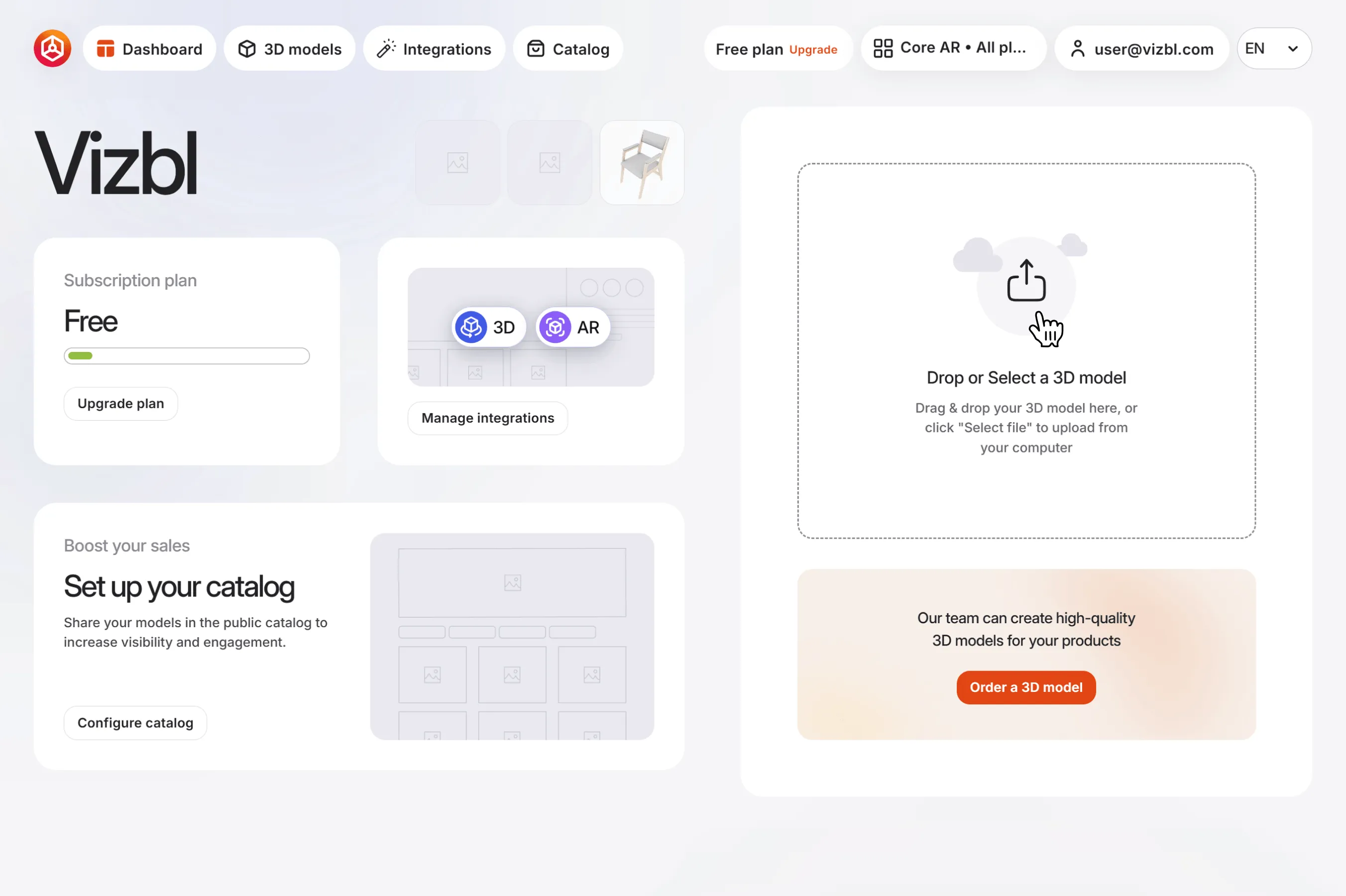
1. Go to your dashboard on connect.vizbl.com and open the Core AR solution.
2. In the right panel, find the upload area. Drag and drop your model, or click Upload Model to select a file.
Supported 3D model formats:
- .fbx
- .glb
- .gltf
- .obj
- .usdz
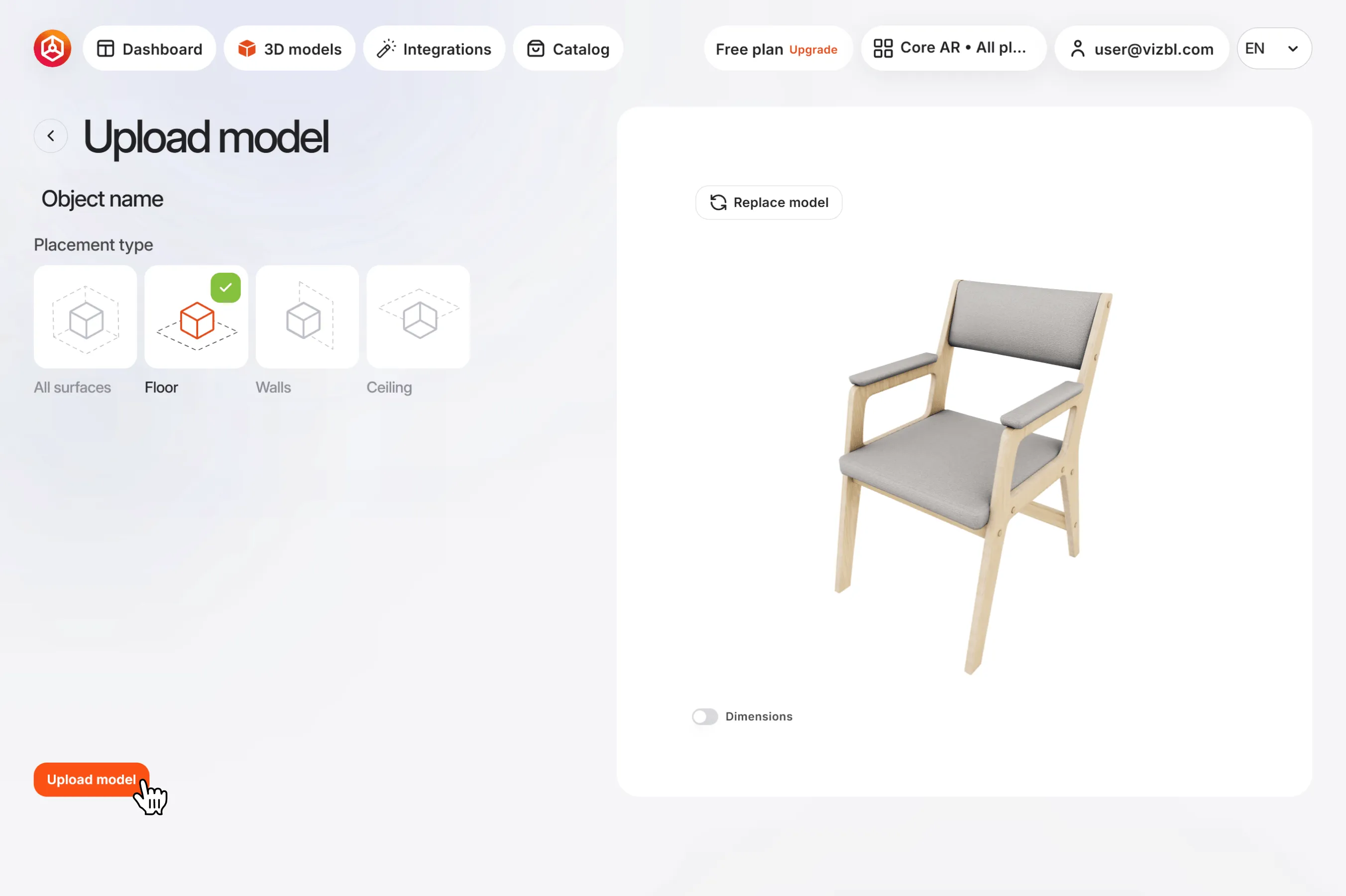
3. Once uploaded, the settings screen opens.
To rename your model, click its name under Upload model and enter a new one.
Use the left panel to control Placement type in AR. You can move it freely or anchor it to a floor, walls, or ceiling.
The right panel shows a preview. Turn on Dimensions to see the model’s height, width, and depth in inches. Click Replace model to use a different model.
Once you’re done, click Upload model in the bottom-left corner.
To review or edit the model later, go to 3D models in the top panel and select your model from the list.
Get help in our Discord
Join our Discord to ask questions about these instructions or get technical support. If something isn’t working, open a ticket and our team will investigate.