
Generating 3D models
Upload product photos and the AI generates a ready-to-use model — the fastest way to get AR running on your site.
Generated 3D models are the fastest way to get AR running on your site — upload product photos and the AI generates a ready-to-use model.
For production-grade models, our team can build them manually — submit a request and we’ll get in touch.
1. Open your Core AR dashboard.
2. Go to the model library and click Create from photos.
3. A window will open with a photo upload area and generation settings.
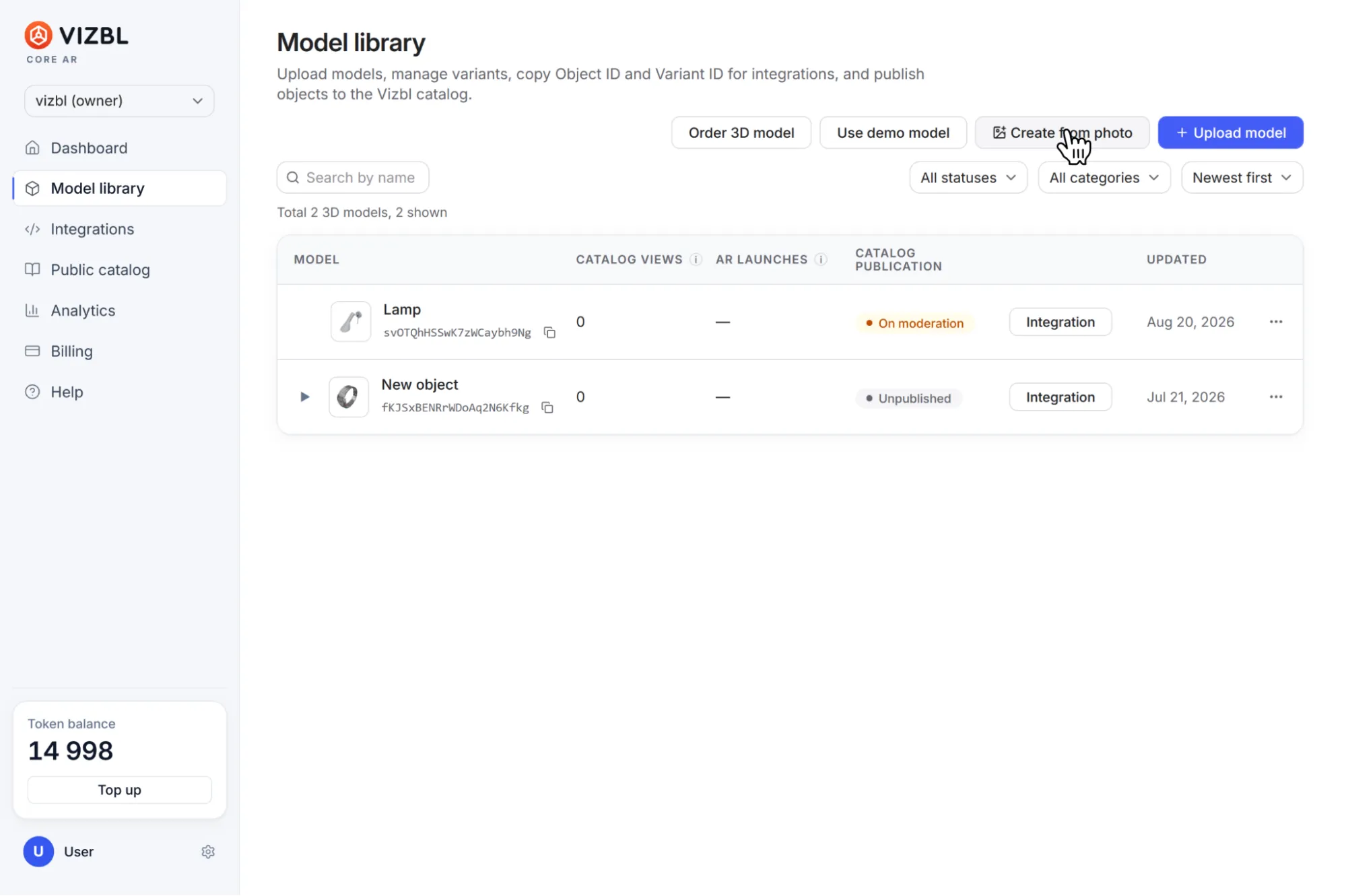
The model name doesn’t affect generation quality — you can use any name.
Product photos
Upload one to six photos, depending on which engine you select. For the best results:
1. Every photo should show the same object.
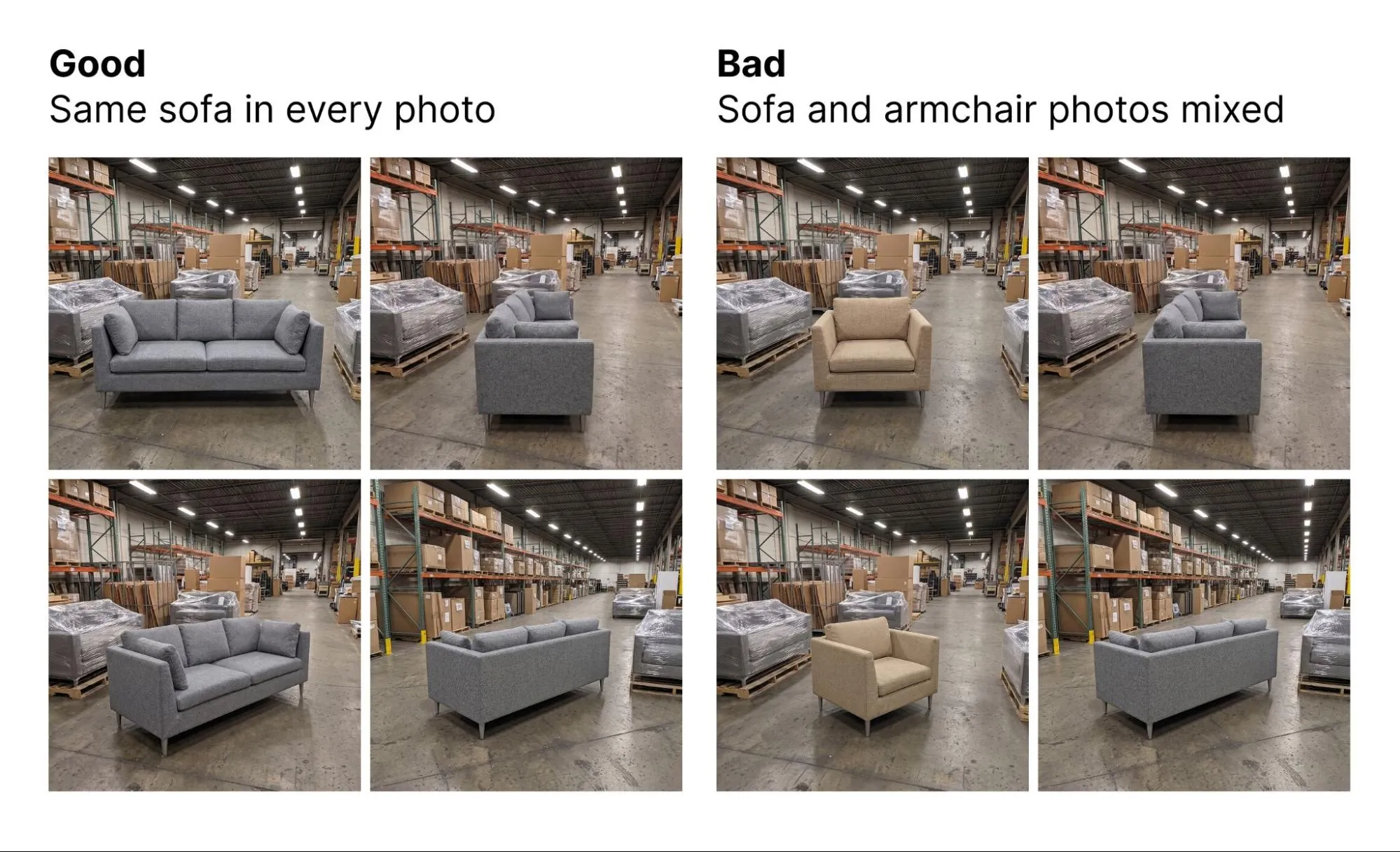
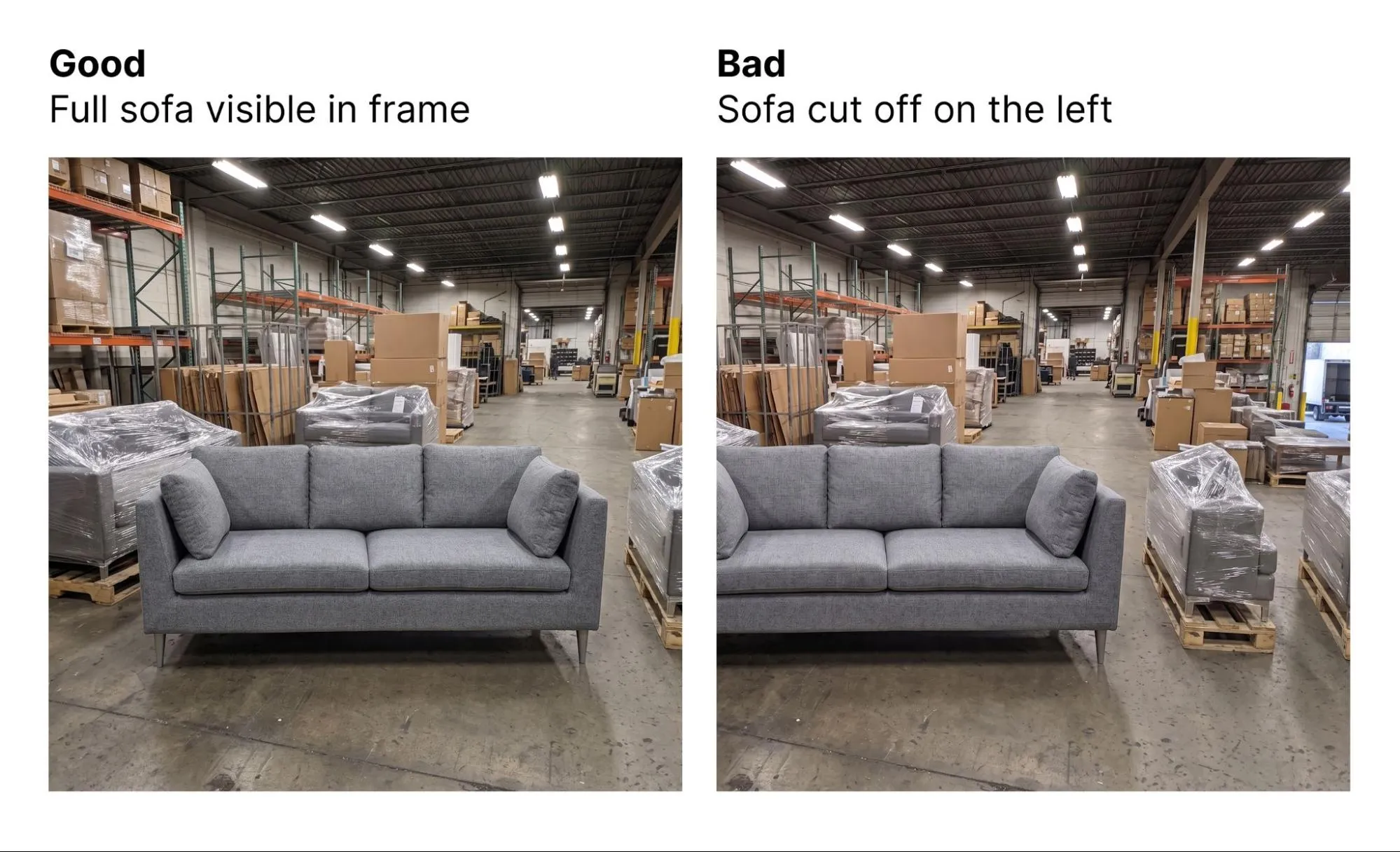
2. The object should be fully visible — not cropped or blocked by anything.
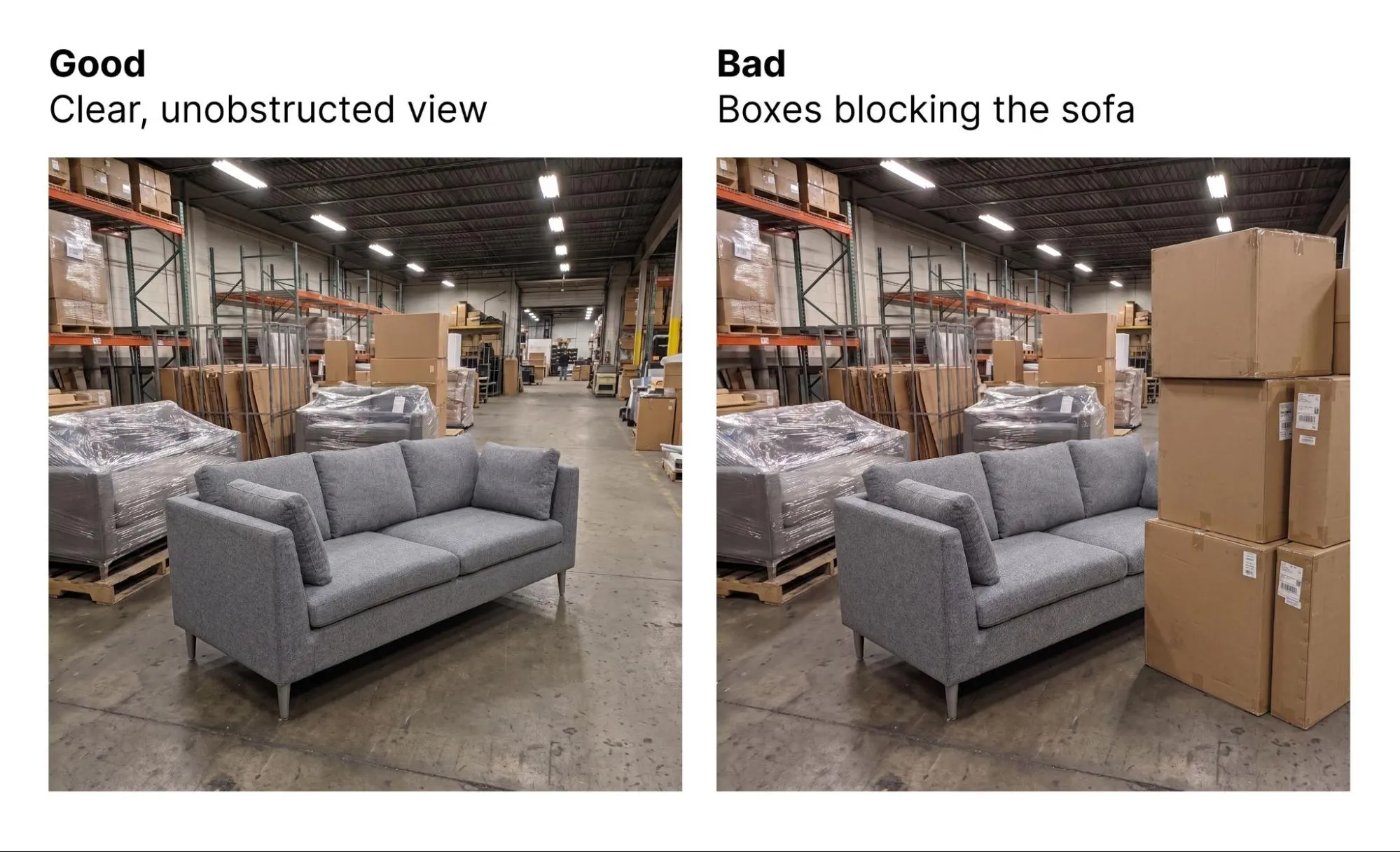
3. No other objects in the frame.
4. If you upload multiple photos, show the object from different angles.
Generation quality
Two generators are available: Trellis and Tripo. Each comes with a set of presets:
- Preview — a low-cost generation to check the object’s shape. Takes about 1–2 minutes.
- Standard — a balance of quality and speed. Takes about 3–5 minutes.
- High — maximum geometry and texture detail. Takes about 8–15 minutes.
- Custom — your own generation settings.
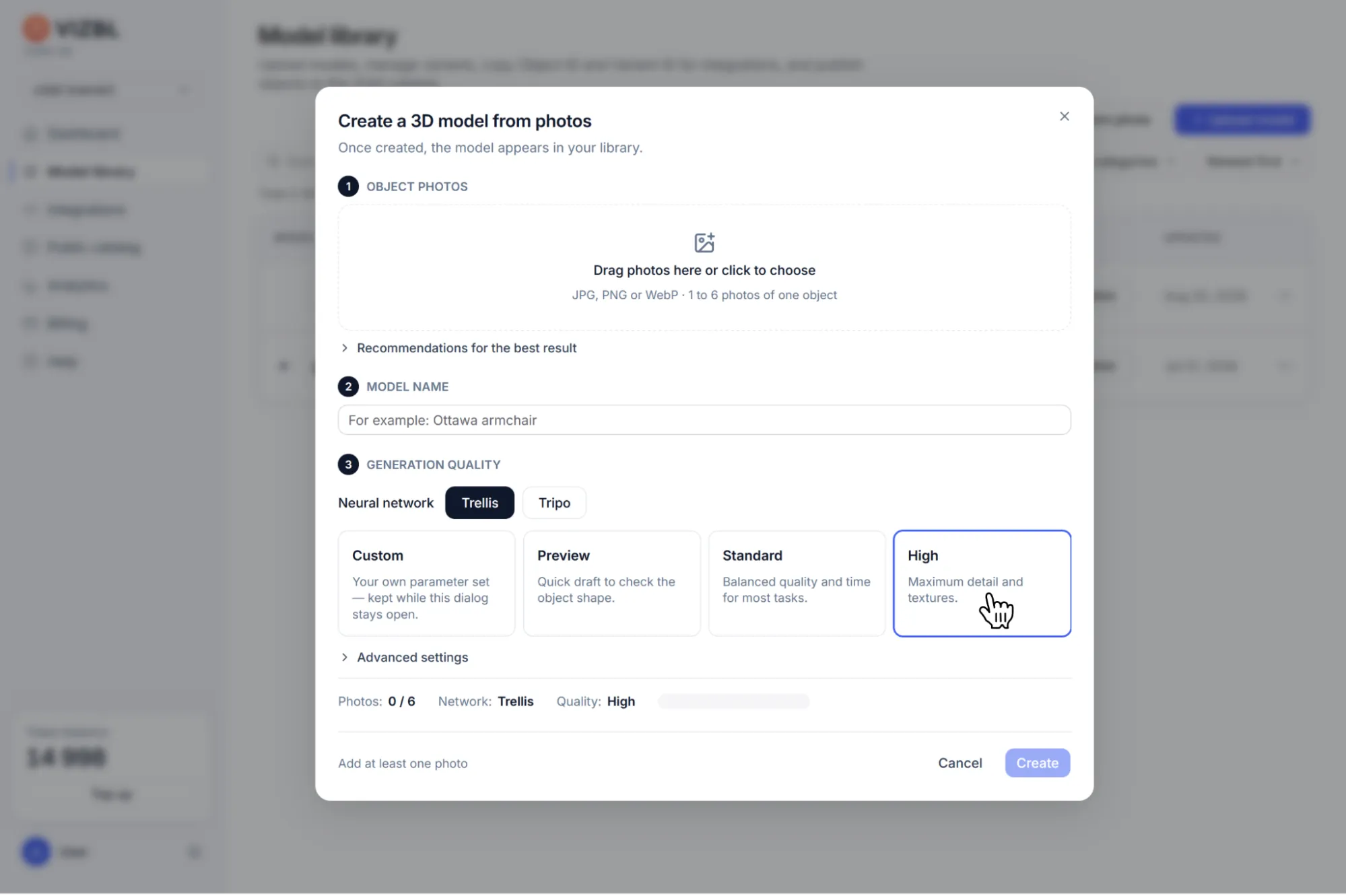
To adjust custom parameters, click Advanced settings.
Higher quality means more tokens per generation. The final cost appears on the Create button before you start.
Once generated, your model lands in the Model Library and works like any other 3D model:
- download it,
- add variants,
- publish it to our catalog, and
- embed it on your site with an integration.