
Adding tokens to your balance
Learn how to buy tokens, set up auto top-up, and track your payment history.
Tokens are one-time purchases added to your account balance. No subscription required — buy tokens whenever you need to, and unused tokens never expire.
The current token price is listed in your dashboard, and you’ll see the full purchase total before paying.
On team accounts, only Admins can purchase tokens.
For details on how the token system works, see the separate guide.
Buying tokens
- Open any Vizbl workspace.
- Go to Billing.
- In the Top up balance block on the right panel, pick a preset amount or enter your own.
- Click Top-up — a new tab will open with the Stripe checkout page.
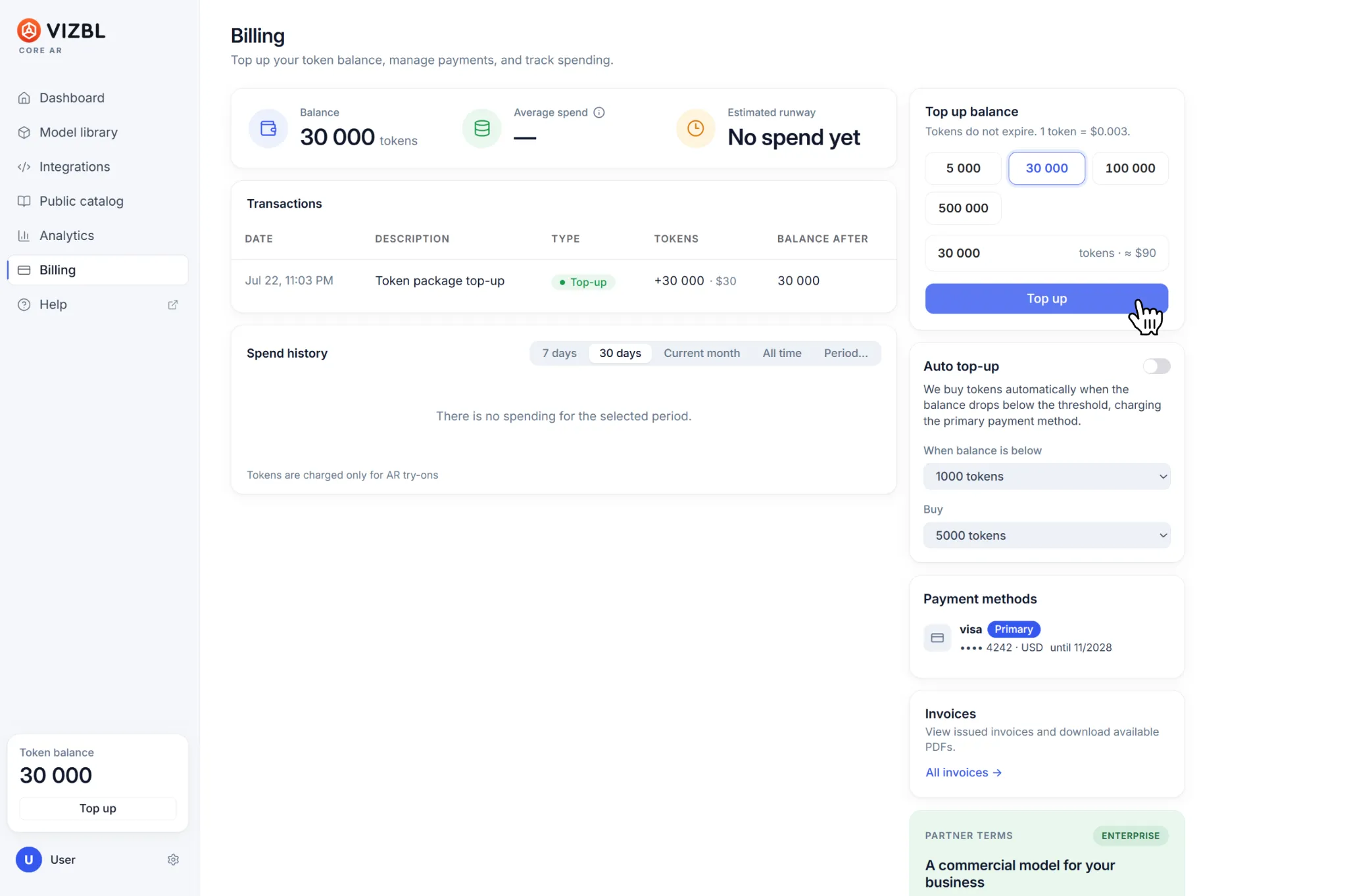
The minimum purchase is 1,000 tokens; the maximum is 10,000,000. Need more? Contact our sales team for custom terms.
After payment, the tokens are added to your account balance. If any paid features were unavailable due to a low balance, they’ll reactivate automatically — no need to reconfigure your products or integrations.
Auto top-up
Auto top-up automatically buys tokens whenever your balance drops below a threshold you set.
In Billing, find the Auto top-up block on the right panel and specify:
- the minimum balance that triggers the purchase
- the number of tokens to buy
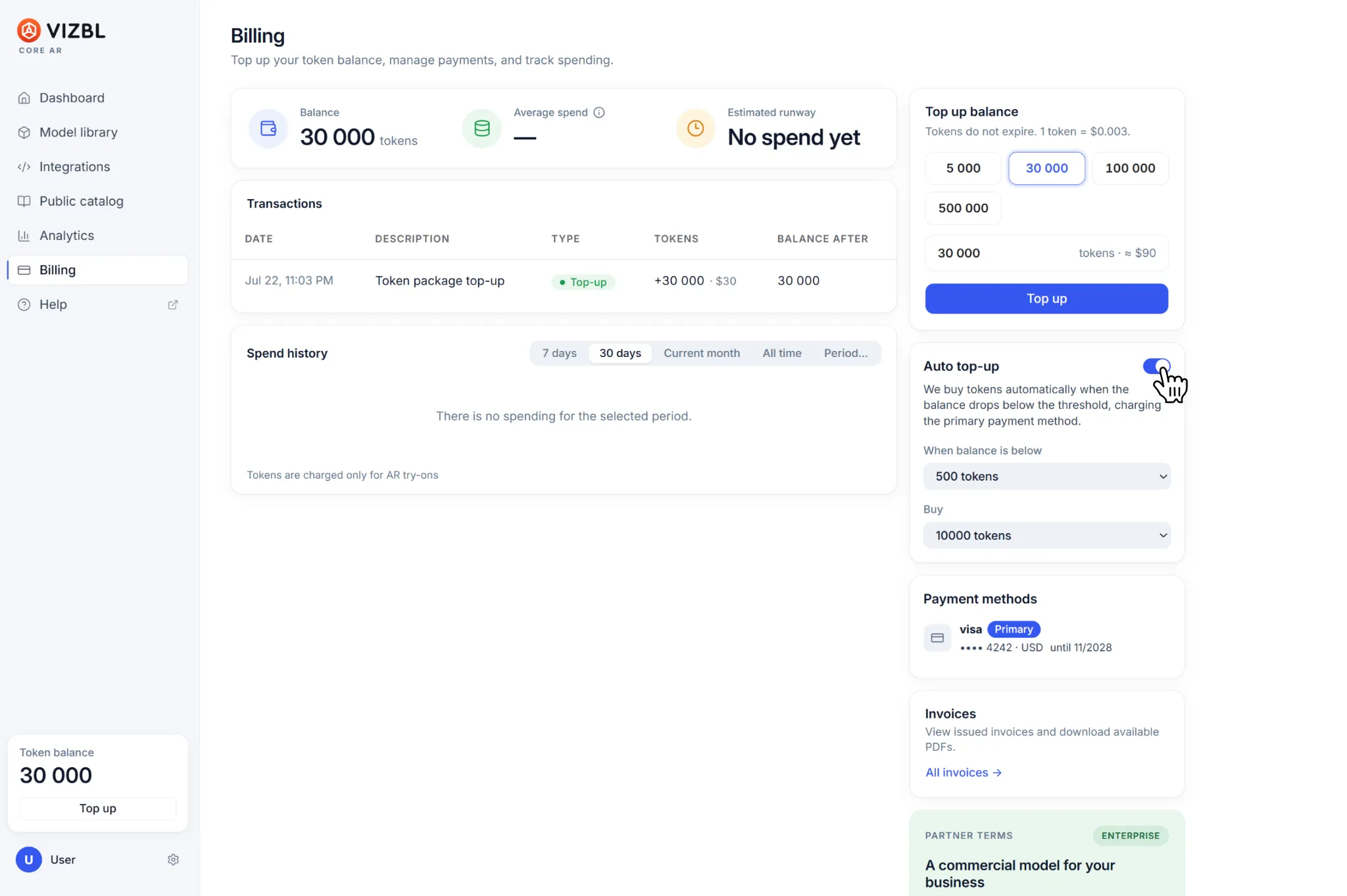
The Payment methods block shows the cards you’ve previously used to buy tokens. If you have several, click a card to make it your default payment method.
You can change these settings, or turn auto top-up on and off, at any time.
Payment and spending history
Your transaction history is in the Charge history block:
- the Transactions table shows balance top-ups
- the Charges table shows how tokens were spent
Invoices are available in the Invoices block at the bottom of the right panel.
Get help in our Discord
Join our Discord to ask questions about these instructions or get technical support. If something isn’t working, open a ticket and our team will investigate.