Display an interactive 3D model directly on your website.
Embeds a 3D viewer on your website, allowing users to rotate and zoom the product. The AR view can also be opened from the viewer.
1. Copy and paste this code where you want the viewer to appear:
<iframe style='border:0px; height:100%; width:100%' src='https://viewer.vizbl.com/viewer_simple/example-tinuuid-12345'></iframe>
You can customize the viewer:
border: 0px — controls the spacing around the viewer. We recommend using pixels (px).
height:100%; width:100% — sets the viewer size. We recommend using pixels (px) for height, or relative units such as em, rem, vh, or vw.
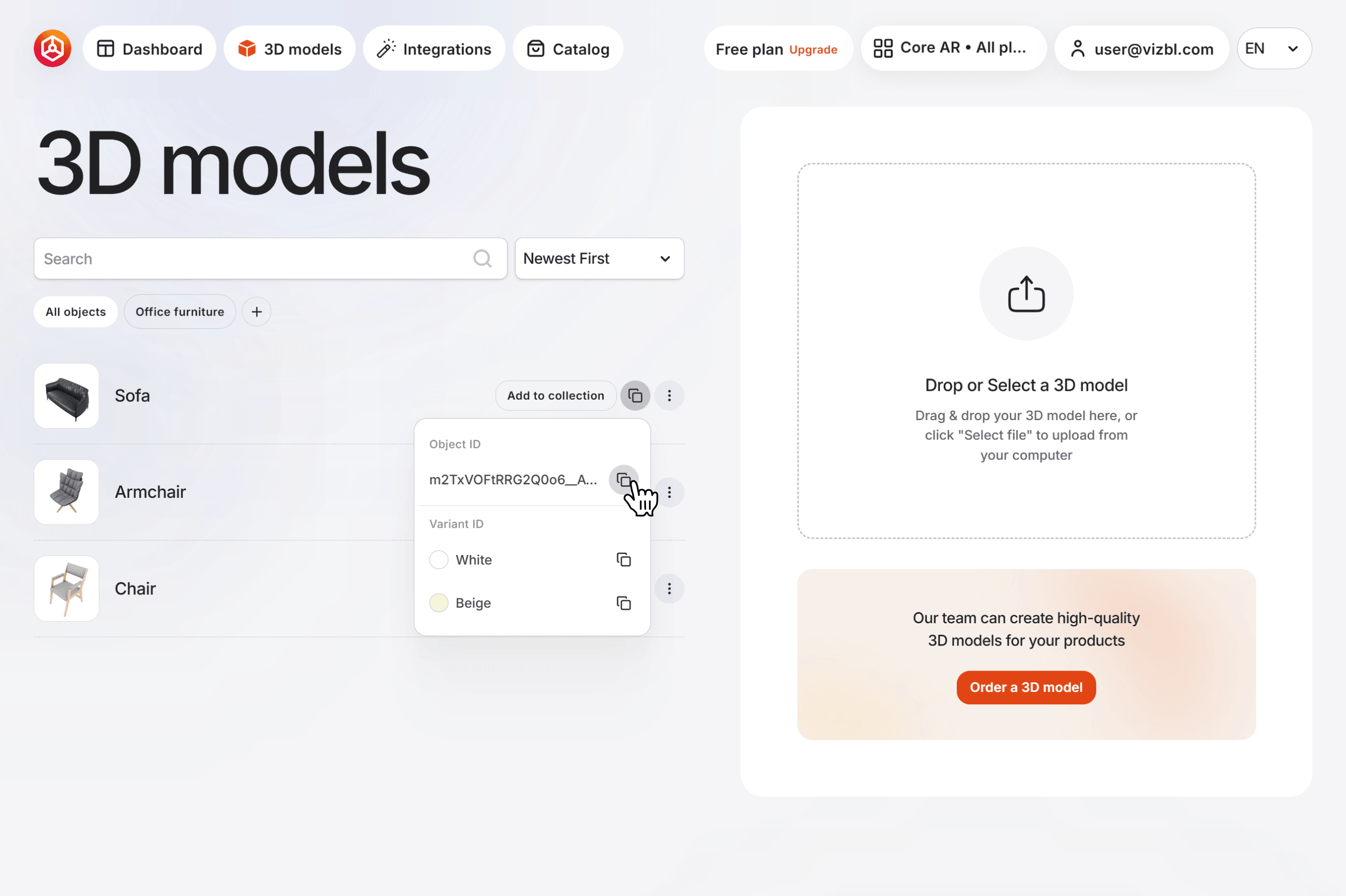
example-tinuuid-12345 — the model code. To get it, go to your dashboard and click 3D Models in the top navigation bar. Click the copy icon on any model in the list, then click the same icon next to Object ID in the dropdown.
Your element may look like this:
<iframe style='border:0px; height:100%; width:100%' src='https://viewer.vizbl.com/viewer_simple/K7CCtKS9Qaer7fQW-6IN1Q'></iframe>


