
Object colors
Learn how object colors work
Object colors in Vizbl are different visual versions of the same 3D model.
The model’s shape stays the same, while the appearance changes through color, material, or texture.
For example, a chair might be available in gray and beige, or a lamp in gold, black, and chrome.
In Vizbl, all of these finishes are grouped as object colors under a single uploaded object.
Why object colors matter
Object colors allow you to:
- Show every available finish of a product
- Keep multiple colors organized under one object
- Let shoppers switch colors instantly
Note: The number of colors you can add to a single object depends on your subscription plan.
How object variations work
Your ability to add multiple object colors depends on how the object was uploaded.
Learn more about object upload types.
Single-file upload
The model and textures are combined into one FBX file.
This method supports one color per object.
If a product has two colors (gray and beige), you must upload two separate objects.
Multi-file upload
The model and textures are uploaded separately.
This method supports multiple colors for one object.
Each color is created by applying a new set of textures to the same model.
A color typically includes:
- Diffuse — color and surface details
- Normal — depth and surface relief
- ORM — occlusion, roughness, metallic maps
If your product consists of multiple model parts, you upload a full texture set for each part.
All of these texture sets together define one object color.
_For example,_ if a chair’s base and seat are separate models, you’ll need a set of three textures for each — even if the color only changes on one part (like the seat).
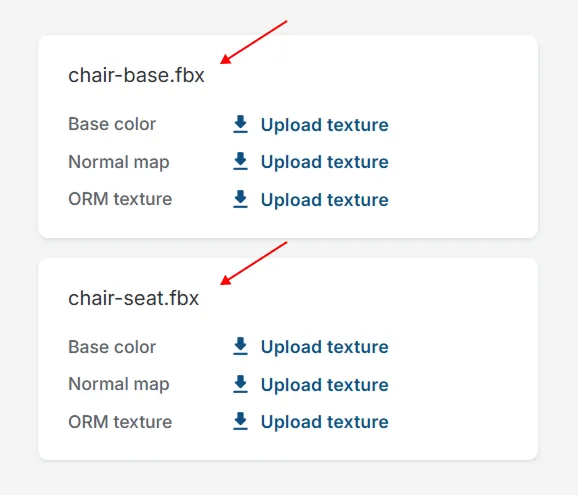
Chair’s base and seat are separate models, so you’ll need to upload two sets of three textures for each model
One object with multiple colors still counts as one object in your Vizbl account.
For example, if a chair is available in gray and beige, you only need to upload one model with two texture collections.
In your Vizbl account, it will appear as one object with two color options.