
Object Upload Types
Learn how each upload method works and when to use it
The Vizbl platform supports two ways to upload 3D objects:
- Single-file upload
- Multi-file upload (model + textures uploaded separately)
Both methods display the same way in augmented reality.
Choose the one that best fits how your objects are prepared.
Single-File Upload
With this method, the model and textures are combined into one FBX file.
Minimum files
- 3D model (.FBX)
- Object preview (.JPEG)
Example
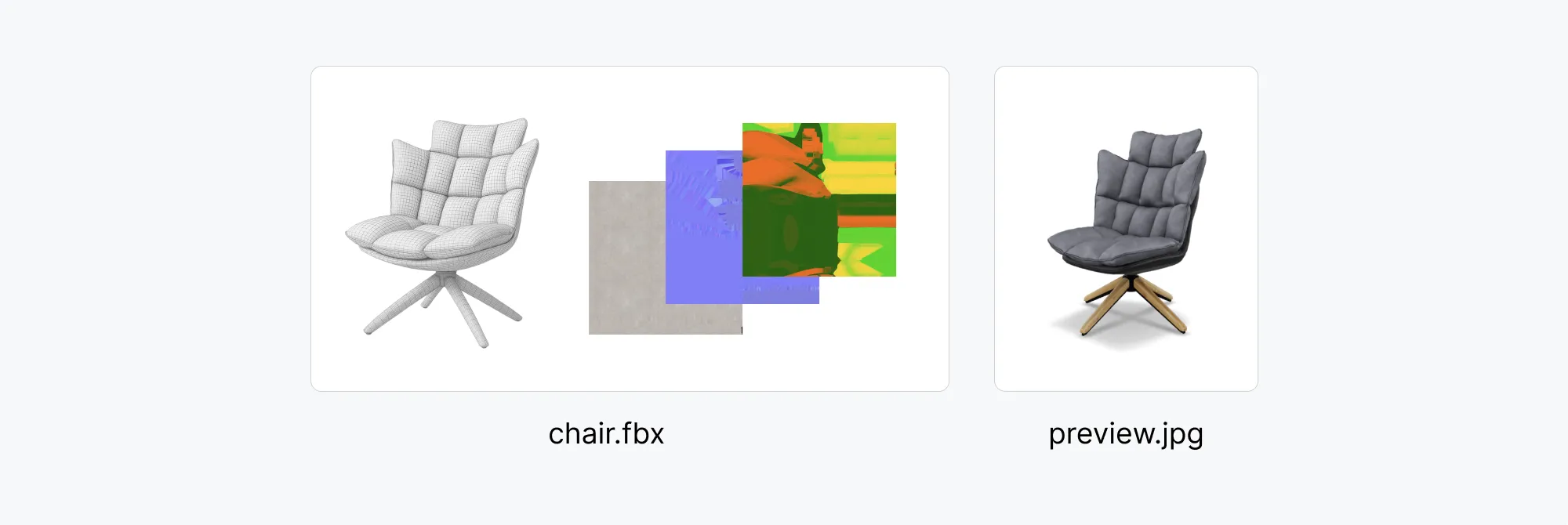
Watch the tutorial for uploading a 3D model (single FBX).
How this method works
All textures are embedded inside the model.
You simply select one file and upload it.
This option works best for objects that come in a single color or finish.
Advantages
- Fast and simple upload
- Ideal for single-color or single-finish objects
Limitations
- If your object has multiple colors, you’ll need to upload separate objects for each variation.
- You can’t add new colors later.
- Not ideal if your subscription plan limits the number of uploaded objects.
Use this method when
- The object is available in one color only
- You don’t plan to add more colors
- You need a quick upload process
Multi-File Upload
With multi-file upload, the model and its textures are uploaded as individual files.
This method supports multiple colors or finishes for the same object.
Minimum files
- 3D model (.FBX)
- A texture set for each color (.JPG or .PNG)
- Object preview (.JPEG)
A texture set includes
- DIFFUSE — defines color and surface appearance.
- NORMAL — adds detail and simulates surface depth.
- ORM — combines three texture maps: occlusion, roughness, and metallic.
Example
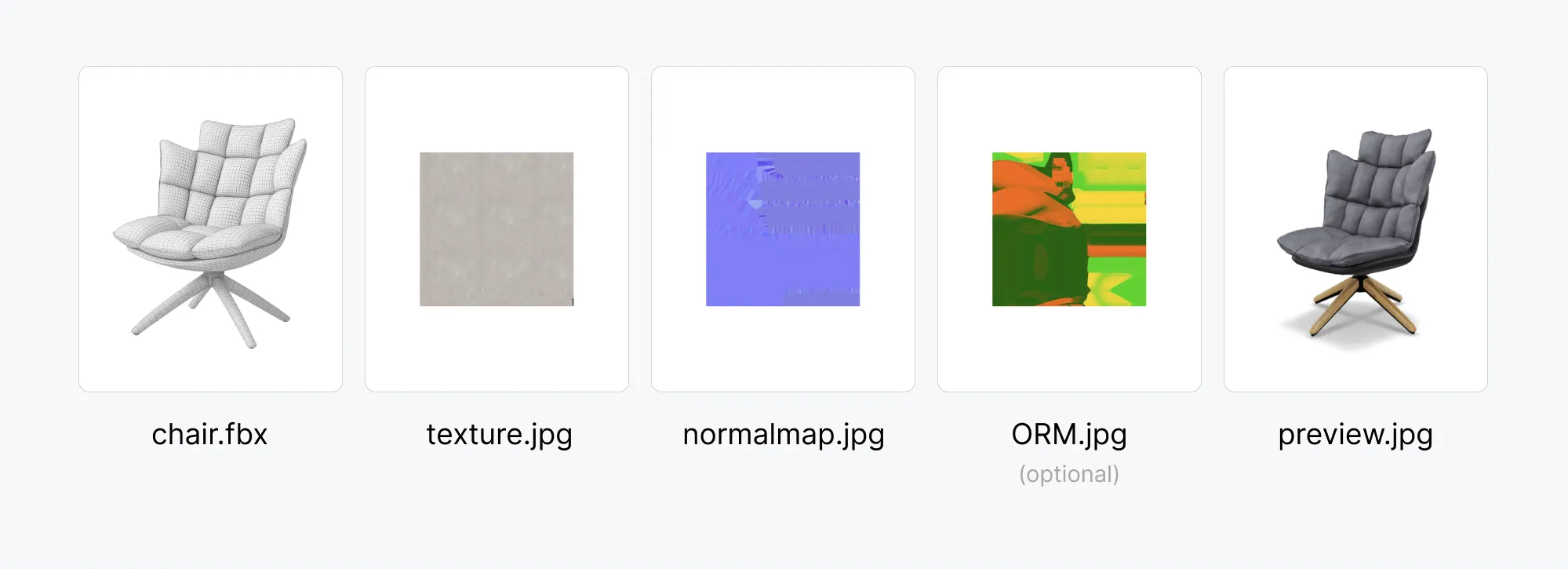
Watch the tutorial for uploading a 3D model (multi-file).
How this method works
Multi-file upload lets you attach multiple color or material variations to one model.
You can add or update colors later without re-uploading the model.
To manage colors, see: How to add a new color to an object.
Note: An object with multiple colors still counts as a single object.
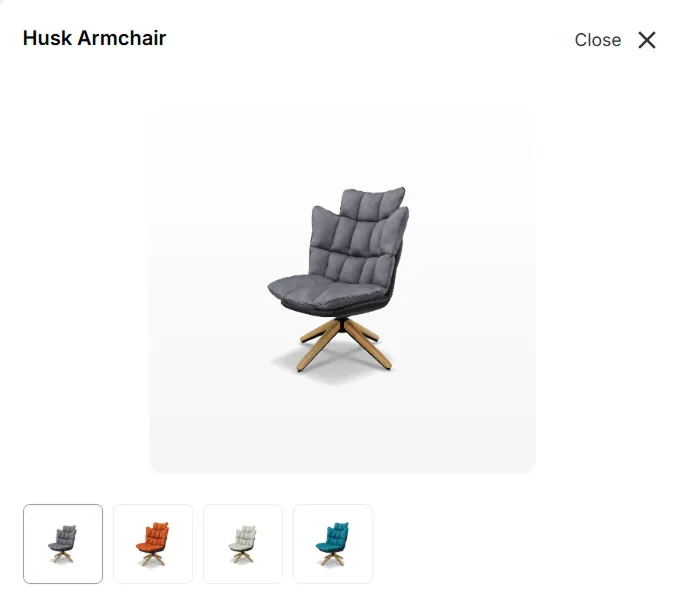
Example Scenario
If a chair comes in gray and beige, upload:
- one FBX model
- two texture sets
Color options appear automatically across all VIZBL integrations.
Advantages
- Multiple color options per object.
- Colors can be updated anytime.
- Saves object slots on your subscription plan.
Limitations
- Requires more file preparation
- Adds extra steps if the object has only one color
Use this method when
- The object comes in several colors or finishes
- You plan to add or update color options
- You want to conserve your object upload limits