
TINUUID and HID Parameters
Learn what they are and how to use them
Why you need TINUUID and HID
Vizbl supports several different integrations, and some of them require adding small code snippets to your website.
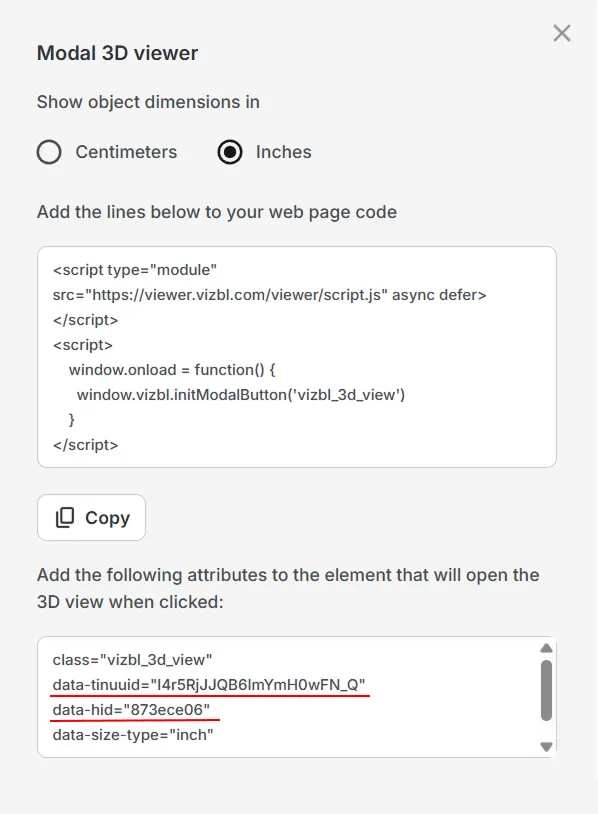
Every object you upload to Vizbl has two parameters — TINUUID and HID — that tell the integration which product and which color to display.
- TINUUID identifies the specific 3D model.
- HID identifies the color or variation of that model.
When you use integrations like the 3D Viewer, Standard AR, One-Click AR, or AR+3D, you may need to insert these values into the ready-made embed code.
Updating the TINUUID and HID ensures that the correct object and color appear on your website.
Example showing TINUUID and HID appear in the 3D Viewer code:
How to find the TINUUID and HID parameters
1. Log in to your Vizbl account and open the My Objects section. This page shows all the 3D models you have uploaded.
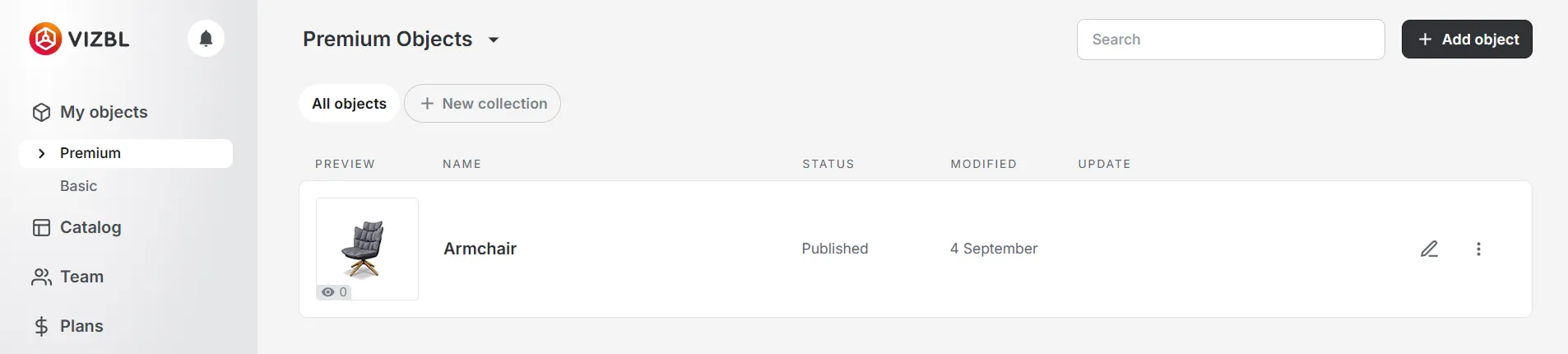
2. Select the object you want to integrate. This opens its detail page with integration options and full object information.
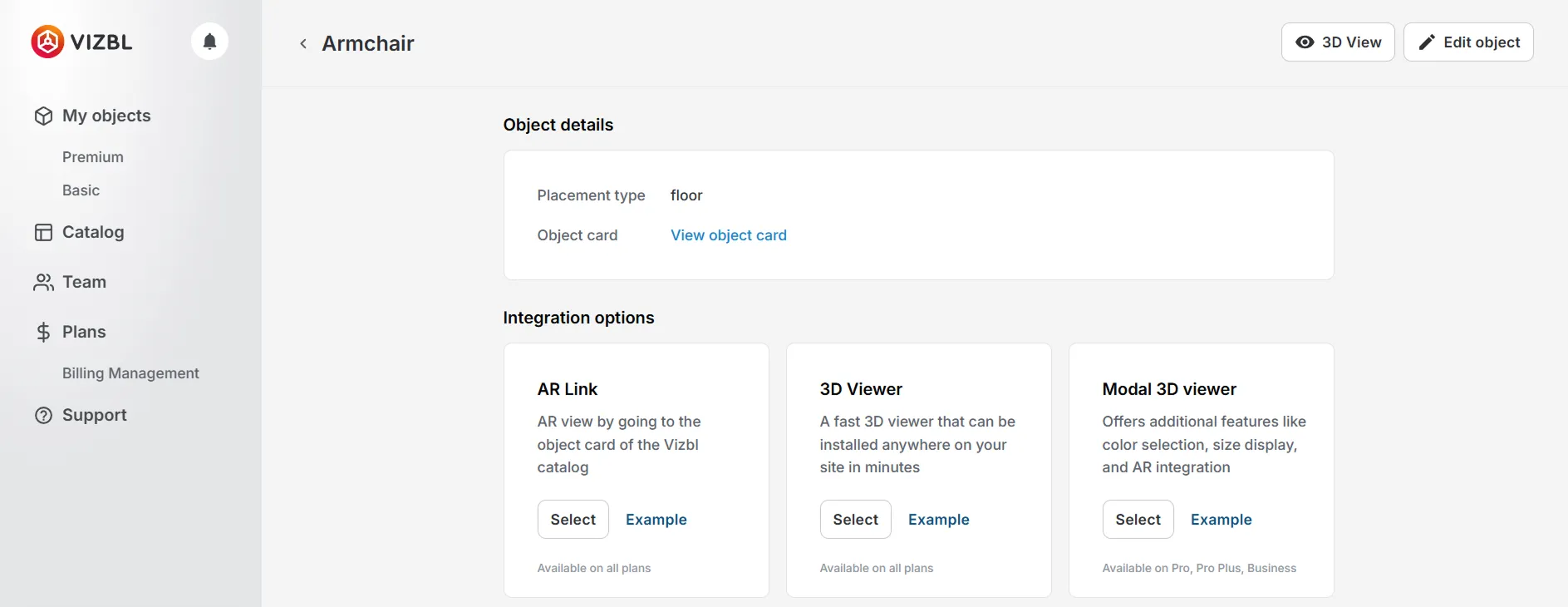
3. Scroll to the bottom of that page. You will see the TINUUID and HID values listed there.
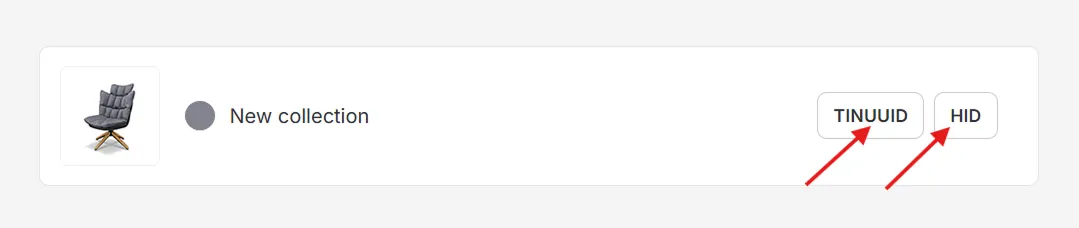
4. Click the button next to the parameter you need. The value will be automatically copied to your clipboard.
5. Insert the copied values into the ready-made embed code provided by Vizbl. Replace the existing TINUUID or HID values as needed.