
How to Transfer an Object to Another Account
Learn how to transfer objects from your Vizbl account to another user.
You can transfer an object from your Vizbl account to another user’s account. All you need is the username of the account you’re transferring it to.
Transferring an Object
Log in to your Vizbl account at vizbl.com/apps.
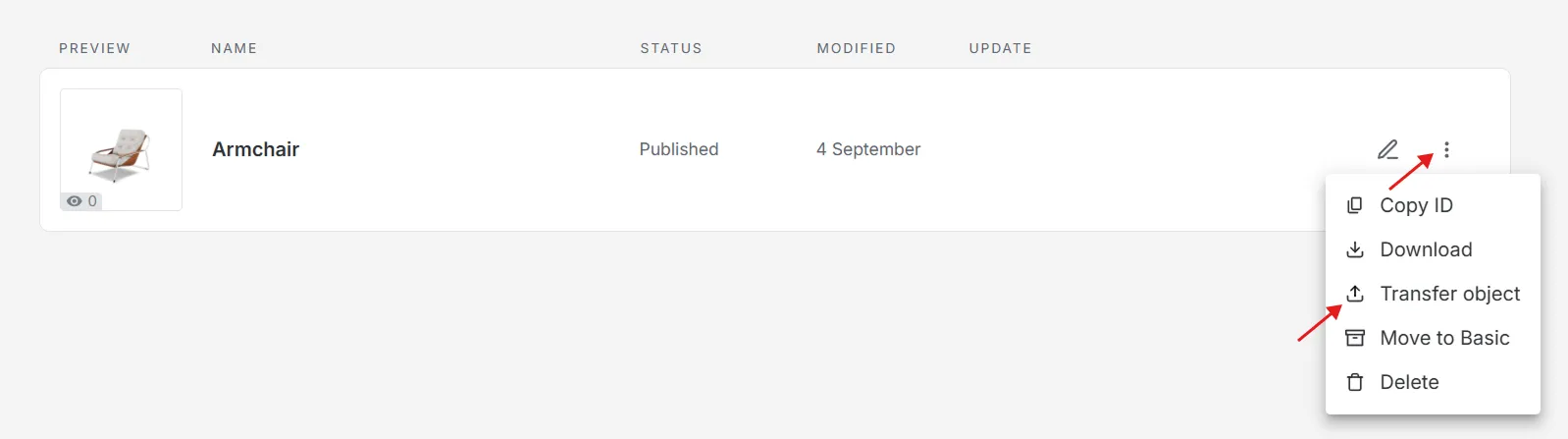
On the My Objects page, find the object to transfer.
Click the three dots next to the object’s name and select Transfer object.
Enter the username of the recipient’s account and click Send.
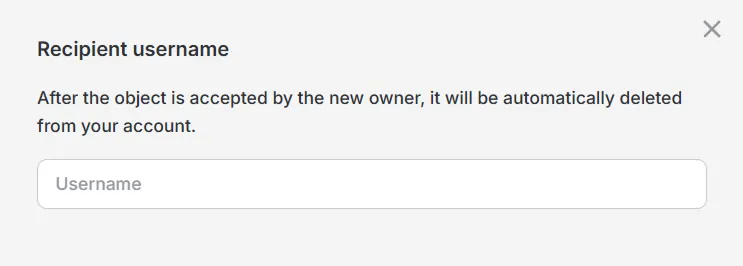
The object will be automatically removed from your account and added to the recipient’s account.
Please note: This action cannot be undone. To retrieve the object, the recipient must transfer it back to you.