
Files required to upload an object
Learn which file types and formats you need to upload a 3D object for Augmented Reality.
If you want your object to be available in two color options for viewing in augmented reality, you will have to add it at app.vizbl.com first.
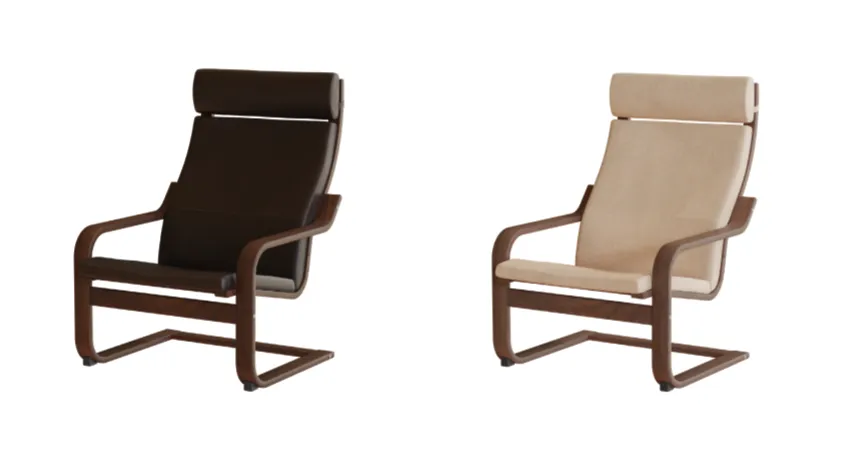
To do that, you need to prepare a set of files for each option.
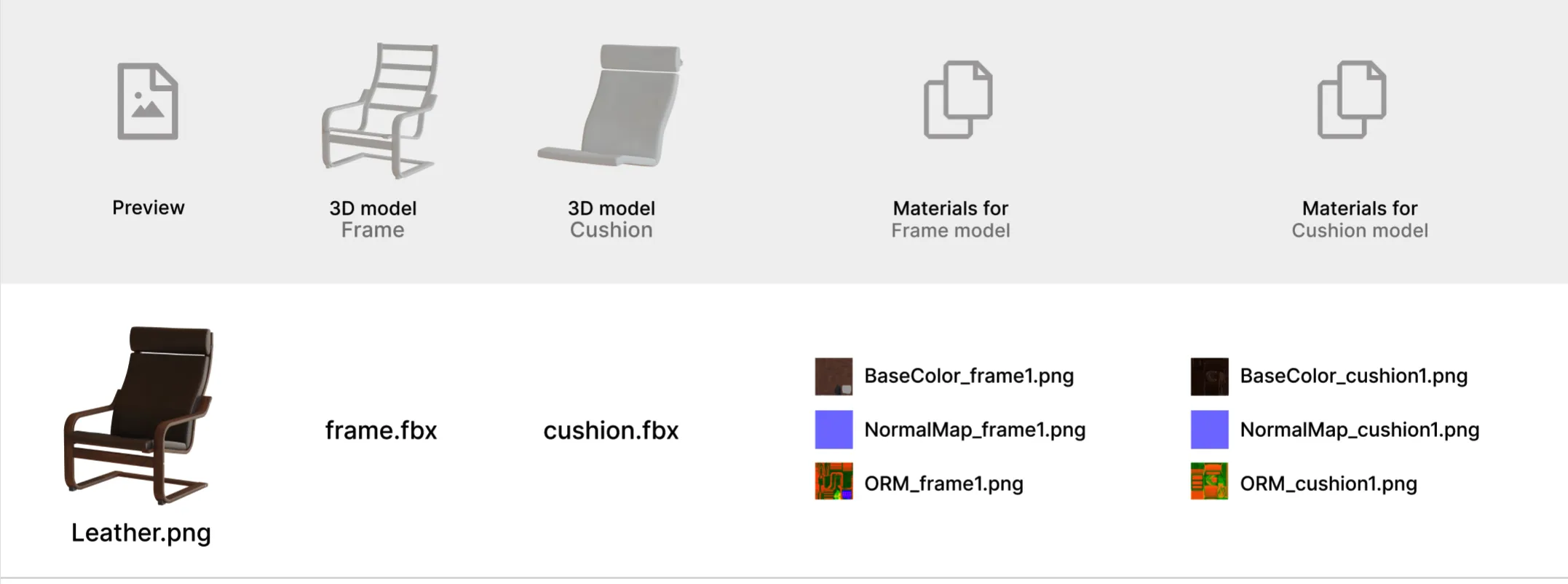
- Photo \ preview of the object in this color variant
- 3D models of all parts of which the object consists
- Sets of textures for each 3D model
In this example, we need the following files for the dark cushion variant:
For the second version of the chair with a light-colored fabric cushion, the same 3D models are used. Only the texture sets and the preview image are changed.
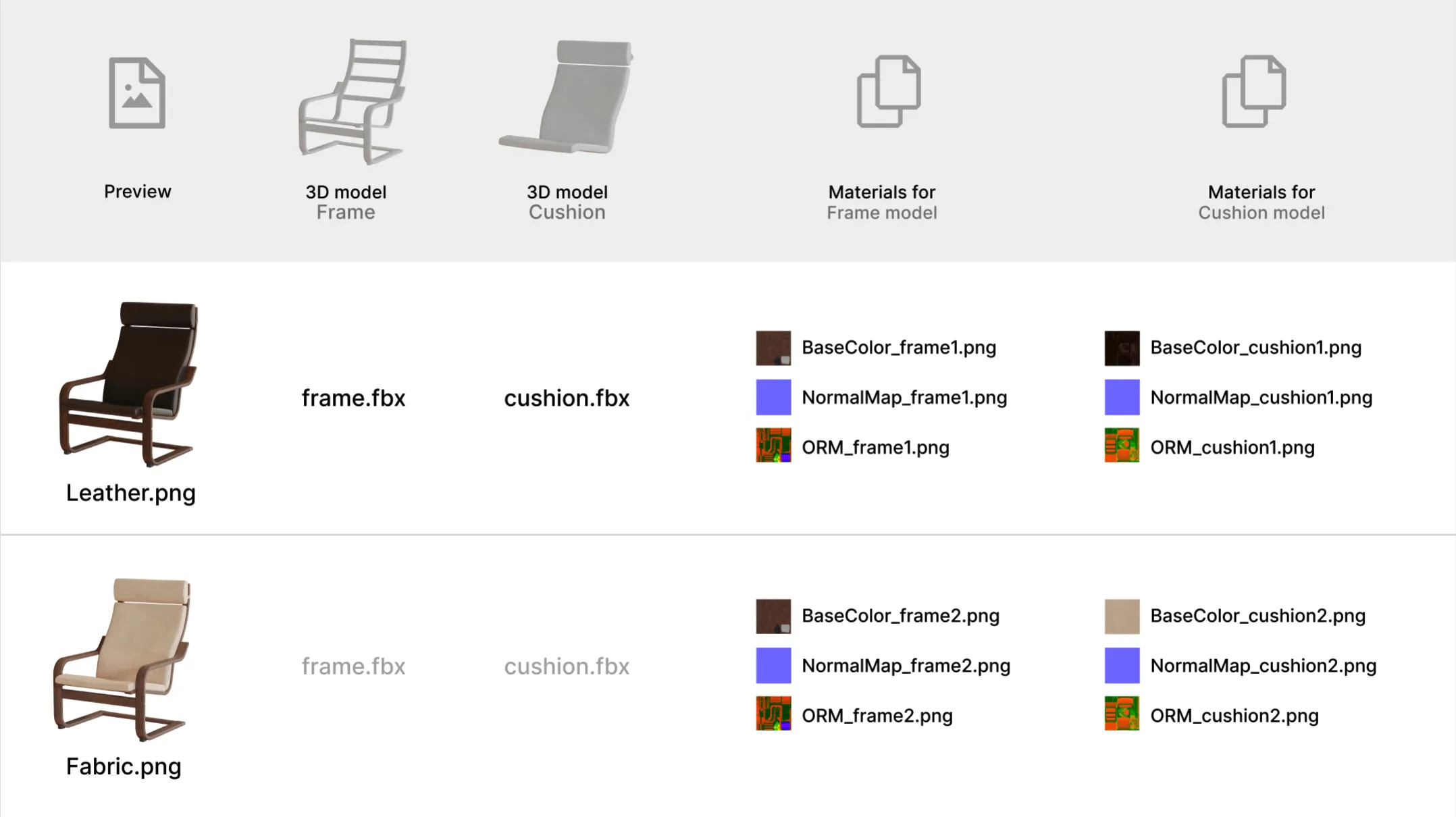
Once you have all the necessary files, you can upload the object to the VIZBL platform. After uploading, it will be viewable in augmented reality.